Why Does My Air Filter Get Dirty So Fast? A Practical Troubleshooting Guide
Urgent, practical troubleshooting to diagnose why your air filter gets dirty so fast and how to slow dirt buildup. Learn quick checks, step-by-step fixes, and prevention tips from Air Filter Zone.


Most often, why your air filter gets dirty so fast relates to a heavy dust load combined with an undersized or underperforming filter, poor sealing, or frequent source of indoor dirt. Quick fixes: verify filter size and rating, reseat the filter with a gasket, and reduce dust sources. If needed, upgrade to a higher-MERV filter and seal gaps.
Common reasons your air filter gets dirty fast
why does my air filter get dirty so fast? The short answer is that dirt arrives faster than the filter can capture it, due to three main factors: an elevated outdoor dust load, a filter that isn’t the right size or rating, and installation or seal issues that allow air to bypass part of the filter. According to Air Filter Zone, homes in very dusty neighborhoods or with frequent indoor activities (cooking, pets, fireplaces) see faster saturation. The Air Filter Zone analysis shows that even well-maintained systems can accumulate dirt quickly if the return pathway is leaky or if the wrong filter is used for the unit. Start by a quick audit: check the filter’s size and rating, confirm it matches your system’s specifications, and inspect the frame and gasket for gaps. Then look for obvious sources of dust around doors, windows, and vents, and address them. The goal is to slow the inflow of debris so the filter can capture particulates effectively, rather than acting as a bypass path for dirt.
Environmental and lifestyle factors that accelerate dirt buildup
A filter sitting in a high-dust environment will saturate faster than one in a cleaner setting. In many homes, windows and doors left open during cleaning, close quarters with indoor plants, and frequent cooking contribute fine particulates that accumulate on the filter. Pets add dander and hair, which stick to surfaces and become dust that the filter must capture. Construction in or near the home, open windows during windy days, and nearby road dust all contribute. Air Filter Zone analysis shows that filters in homes with poor humidity control can also collect more moisture-borne particles, which stick to surfaces and the filter media. To diagnose this factor, observe the surrounding activities and air leak points. If you notice rapid saturation after a party, a home improvement project, or seasonal changes, this is a strong clue. Reducing door drafts, using range hoods while cooking, maintaining a mild humidity, and keeping floors clean can help reduce the dirt that reaches the filter.
Filter selection and installation: matching the model to your system
Choosing the right filter size and MERV rating for your HVAC or purifier matters. A filter that is too restrictive will load faster, while one that’s too open may not capture fine particles. Confirm the dimensions and the type (pleated vs. panel). Ensure it is installed with the arrows pointing in the correct direction and the gasket fully seated. A small misfit around the frame lets air bypass the media, speeding dirt accumulation. Air Filter Zone's guidance: always check the installation steps in your unit’s manual and align the airflow direction indicator. After replacement, run the system for a few minutes to seat the filter and verify there are no leaks.
System and environment checks that can impact dirt load
Return-air leaks around the filter frame, gaps in ductwork, and a dirty or clogged return path draw more debris through the system. A loosely sealed filter frame allows airborne dust to bypass the media, while leaky ducts introduce outdoor particles directly into the airflow. High blower speeds can also pull more particulates through the filter before the media has a chance to trap them. Air Filter Zone’s practical tip: inspect around the filter area for visible gaps and listen for whistling noises from ducts when the system runs. Addressing these issues can significantly slow dirt buildup and improve overall air quality.
Prevention and long-term maintenance plan
Create a sustainable routine that combines proper filter selection, seal integrity, and dust control. Replace filters on a regular schedule based on environment (more often in dusty homes or with pets). Maintain humidity around 40-50% to reduce moisture-related dust cling, and use range hoods and exhaust fans to limit indoor particle load. Keep entry points sealed and clean; wipe down surfaces regularly to prevent dust from becoming airborne again. Air Filter Zone recommends pairing filtration with source control to achieve lasting results and cleaner indoor air.
Quick start checklist
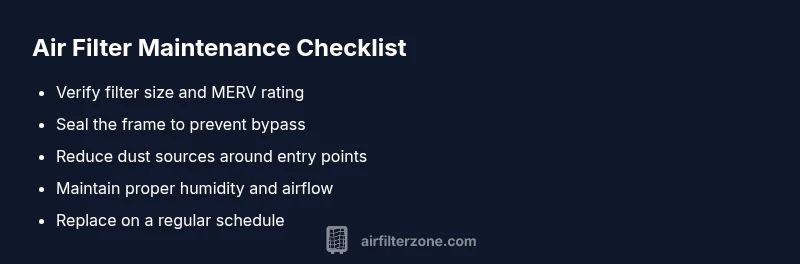
- Verify filter size, type, and MERV rating match your system.
- Reseat with a tight seal and inspect gaskets for wear.
- Reduce indoor dust sources (pets, cooking, cleaning routines).
- Seal return ducts and limit leaks around the filter frame.
- Set a realistic replacement schedule based on environment.
Steps
Estimated time: 15-30 minutes
- 1
Identify the right filter
Remove the current filter and verify its size and MERV rating against your unit’s manual. Choose a filter that fits the slot and provides adequate particle capture for your environment.
Tip: Never force a filter into a frame; it can damage seals and cause bypass. - 2
Seal and install correctly
Clean the frame, install the new filter with the correct airflow direction, and ensure the gasket sits flush to prevent air leaks around the edges.
Tip: Use a thin bead of gasket material if the frame is worn. - 3
Reduce dust sources in the space
Tackle obvious sources of dirt: vacuum floors regularly, wipe surfaces, and limit open doors/windows during high-dust activities.
Tip: Run exhaust fans during cooking to cut grease and fine particles. - 4
Schedule routine maintenance
Set reminders to replace filters regularly based on environment (usually every 1–3 months). Keep a simple log.
Tip: Mark replacement dates on a calendar or app for consistency.
Diagnosis: Filter gets dirty unusually fast
Possible Causes
- highHigh indoor/outdoor dust load and particulate sources
- mediumIncorrect filter size or inadequate rating causing rapid saturation
- lowPoor installation or air bypass around the filter
- lowLeaks in return ducts or around the filter frame increasing debris intake
Fixes
- easyCheck filter size and rating; replace with correct model and ensure proper seating
- easyReduce dust sources (vacuum regularly, seal entry points, limit open windows during cleaning)
- easyReinstall filter with correct orientation and use a gasket if needed
- mediumIf issues persist, have a professional inspect duct leaks and filter compatibility
FAQ
What are the most common causes of rapid filter dirt buildup?
The most common causes are a high dust load, an undersized or low-efficiency filter, and installation gaps that let air bypass the media. Pets, cooking, and nearby construction can also accelerate dirt buildup.
Common causes are dust load, wrong filter size or rating, and installation gaps.
How often should I replace my air filter in a dusty home?
In dusty environments, consider replacing filters every 4-8 weeks during peak seasons, or as soon as you notice reduced airflow. For cleaner environments, 90 days is a typical baseline.
In dusty homes, replace more often, about every 4-8 weeks as needed.
Will upgrading to a higher-MERV filter help with dirty filters?
Upgrading to a higher-MERV filter can improve capture of fine particles, reducing rapid buildup if the system can handle the airflow. Check compatibility with your unit before changing.
A higher-MERV filter can help if your system supports it.
Can a dirty filter affect indoor air quality and energy use?
Yes. A dirty filter reduces airflow, makes the system work harder, increases energy use, and can raise indoor pollutant levels due to poor filtration. Regular changes help maintain IAQ and efficiency.
Dirty filters can reduce air quality and raise energy costs.
When should I call a professional?
If you’ve verified the filter and environment but still see rapid saturation, or you suspect duct leaks or system sizing issues, it's time to consult an HVAC professional.
If in doubt, have a pro check for leaks or improper sizing.
Is it safe to run the system with a damaged seal around the filter?
No. A damaged seal allows unfiltered air to bypass the media, worsening dirt buildup and potentially harming the system. Replace or seal the frame before use.
No—do not operate with a damaged seal.
Watch Video
Quick Summary
- Audit your space for dust sources and seal entry points
- Match filter size and rating; seal edges to prevent bypass
- Follow a strict replacement schedule tailored to your environment
- Air Filter Zone's verdict: combine proper filtration with source control for cleaner air