How to Take Out an Air Conditioner Filter: A Practical Guide
Learn the safe, simple method to remove your air conditioner filter for cleaning or replacement, with prep, access, and maintenance tips from Air Filter Zone.


You will learn how to safely remove an air conditioner filter from most home systems, window units, or portable coolers. Before you begin, power down the device, unplug it if possible, and locate the filter by following the arrows on the frame. Use a clean cloth to wipe away dust around the access area.
Understand the types of air conditioner filters
Air conditioner filters come in several common types, and recognizing which one you have will help you remove it safely and replace it correctly. The most common residential filters are disposable fiberglass or pleated panels that slide into a frame. Some units use reusable, washable filters that you can rinse and air-dry. In nearly all cases, you’ll find an arrow on the filter frame showing the recommended orientation for air flow. According to Air Filter Zone, most home systems use standard rectangular panels measured in inches (for example 16x20 inches or 20x25 inches in typical sizes), but always check your owner’s manual or the existing filter’s edge code to confirm. If your system uses a cartridge-style filter, the removal method is similar but may require detaching a cover plate. Understanding your filter type helps you choose the right replacement and avoid damage during removal.
Safety and prep steps before removal
Before you touch any part of the air conditioner, power is the first safety concern. Unplug the unit or switch off the circuit at the breaker to prevent accidental starts. Wear lightweight gloves and a mask if you’re sensitive to dust. Have a clean, dry cloth and a small container for screws or clips. If you’re dealing with a window or portable unit, keep the area dry and clear so you don’t trip or drop components. Make sure you have a replacement filter ready if you plan to swap it immediately or a mild cleaning solution if you plan to wash a reusable option. These precautions protect you from shock, dust exposure, and accidental damage to the device.
Accessing the filter: where to look and how to open the panel
Most AC filters live behind a front grille, a side panel, or a top cover. Start by locating the access point: look for a small handle, latch, or a panel seam. If screws hold the panel in place, use a proper screwdriver to remove them and keep them in a safe spot. Gently hinge or lift the cover to reveal the filter frame. Some units use a sliding tray—pull it toward you until it stops. If you feel resistance, don’t force it; check for hidden clips or a secondary panel. This step is the bridge between power-down safety and the actual removal, so take your time and avoid prying with sharp tools that could scratch the housing.
How to identify filter size and orientation
Filter size is usually printed on the frame’s edge or on a sticker inside the access area. If you cannot find it, measure the width and height or check the unit’s model number in the manual. Always note the orientation arrows on the filter or housing—these indicate airflow direction. Replacing or washing a filter with the wrong orientation will reduce efficiency and can cause dust to bypass the filter. If you’re unsure, take a quick photo of the current setup for reference. Being precise here saves time during reinstallation and helps maintain indoor air quality.
Cleaning vs replacing: washable vs disposable filters
Disposable filters trap dust and debris but cannot be reused once soiled. Washable or reusable filters can be rinsed with cool water and gentle soap; allow them to dry completely before reinsertion to prevent mold growth. The decision to clean or replace depends on the filter type, degree of dirt, and manufacturer guidance. If the filter is showing heavy discoloration, rips, or has a persistent musty odor, replacement is the safer choice. In contrast, a lightly dusted reusable filter may simply need a thorough rinse and air-dry before being reinstalled. Following the manufacturer’s instructions preserves efficiency and extends the life of your system.
Reinstalling the filter correctly: alignment and seating
When reinserting, align the filter with the arrows and slide it back into the frame in the same orientation as removed. Ensure the filter sits flat and flush against the housing to prevent air bypass. Replace the access panel securely and reattach any screws or fasteners. If your unit has a ‘filter’ indicator, reset it according to the manual. A properly seated filter maintains airflow and protects your coils from dirt, boosting efficiency and reducing energy use. After reinstalling, run a quick test to confirm normal operation and airflow.
AUTHORITY SOURCES
For further reading and validation, consult trusted sources on indoor air quality and filtration. The EPA provides guidance on indoor air quality and filtration best practices, while OSHA covers safety considerations for working with air systems. The National Institute of Standards and Technology (NIST) also hosts material related to indoor air quality standards. Refer to these sources for evidence-based context and recommended maintenance intervals.
- EPA: https://www.epa.gov/indoor-air-quality-iaq
- OSHA: https://www.osha.gov/indoor-air-quality
- NIST: https://www.nist.gov/topics/indoor-air-quality
Troubleshooting and maintenance tips
If the filter won’t come out easily, inspect for hidden clips or a second cover. Do not force the filter, as this can damage the housing. If you notice water leakage around the filter area after removal, dry the housing thoroughly before reinsertion to prevent mold growth. Regularly cleaning the surrounding grille and ensuring the filter frame is not bent will help you remove and replace filters smoothly in the future. Maintain a small routine: check the filter every 4–6 weeks during peak use and replace or wash as recommended by the manufacturer.
Quick reference and maintenance calendar
Create a simple maintenance calendar to track filter replacements. Mark the date of insertion and the expected replacement date based on usage and environment. In dusty or high-pollen seasons, you may need to replace more frequently. A written log helps you maintain consistent indoor air quality and prevents neglected maintenance. Air Filter Zone recommends sticking to a regular schedule and keeping spare filters on hand for quick swaps, ensuring your cooling system runs efficiently year-round.
Tools & Materials
- Owner's manual(Verify filter size and type; confirm access panel location)
- Replacement filter (same size as original)(Have on hand before removing the old filter)
- Microfiber cloth or soft brush(Used to wipe the housing and remove loose dust)
- Gloves (optional)(Protect hands from sharp edges or dust)
- Flashlight(Improve visibility inside tight panels)
- Mild soap and water (for washable filters)(Use only on washable/reusable filters; ensure complete drying)
Steps
Estimated time: 15-25 minutes
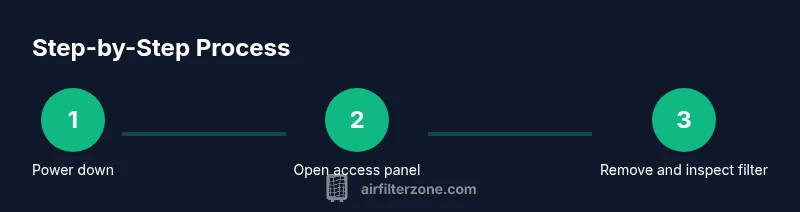
- 1
Power down and safety check
Turn off the air conditioner at the thermostat and unplug if possible. This eliminates the risk of live electrical contact while you remove the filter. If you can’t unplug, switch off the dedicated circuit at your breaker. Put on gloves if you have sensitive hands or deal with dusty components.
Tip: Always double-check that the unit is fully de-energized before touching internal parts. - 2
Open the access panel
Locate the access panel or grille that covers the filter. Use the screwdriver if screws secure the cover, and keep screws in a small container. Gently lift or slide the panel to expose the filter frame without forcing anything.
Tip: If there are clips, release them evenly to avoid bending the frame. - 3
Remove the filter
Carefully slide the filter straight out along its track. Note the orientation arrows and keep the filter level to prevent dust from dropping into the unit. If the filter sticks, rotate slightly or check for any retained clips before pulling.
Tip: Take a quick photo of how the filter sits for reference during reinstallation. - 4
Evaluate the filter condition
Inspect the filter for dirt or signs of damage. If it’s heavily soiled, torn, or discolored, replacement is recommended. For reusable filters, check washing instructions before proceeding. Record the replacement date for future maintenance planning.
Tip: If you see mold or persistent odor, replace rather than attempt a wash. - 5
Clean or replace
If you’re using a washable filter, rinse it with cool water and a mild soap, avoiding harsh cleaners. Shake off excess water, then let it air-dry completely in a clean area before reinstalling. If the filter is disposable, discard it according to local guidelines and install the new filter.
Tip: Do not reinstall a damp filter; moisture can promote mold and reduce efficiency. - 6
Reinstall and test
Slide the filter back into the frame with the arrows pointing in the correct airflow direction. Close the access panel securely and reattach any screws. Restore power and run the unit briefly to confirm proper airflow and that there are no unusual noises or vibrations.
Tip: If you have a filter indicator, reset it according to the manual.
FAQ
Do I need to unplug the AC before removing the filter?
Yes. Always unplug or switch off the breaker to avoid electrical shock while you remove or handle the filter.
Yes—unplug or switch off the breaker to avoid shocks while removing the filter.
What if the filter is stuck and won’t come out easily?
Check for hidden clips or a secondary panel. Do not force it; gently inspect the edges and hinge. If necessary, refer to the owner’s manual or contact a professional.
If the filter is stuck, look for hidden clips or a secondary panel and avoid forcing it. Consult the manual if needed.
How often should I replace an AC filter?
Most homes benefit from replacements every 1-3 months, depending on usage, environment, and filter type. Use the manufacturer’s guidelines for your specific unit.
Replace every 1 to 3 months, based on usage and environment, following the unit’s guidelines.
Can I wash a disposable filter?
No. Disposable filters should be replaced rather than washed. Washing can damage the filter media and reduce filtration efficiency.
No—don’t wash disposable filters; replace them instead.
Where should I dispose of used filters?
Place disposable filters in regular trash if allowed by local guidelines. If the filter is contaminated with mold, follow local disposal guidance and clean the housing afterward.
Throw disposable filters in the trash per local rules, and clean the housing if mold is involved.
What should I do if I’m unsure about filter size?
Check the filter frame edge for size markings or refer to the owner’s manual. If in doubt, remove the current filter and take it to a hardware store to match.
Look for size markings on the frame or consult the manual; bring the current filter to match it.
Watch Video
Quick Summary
- Power off before handling the filter
- Identify filter type and orientation accurately
- Clean or replace according to filter type
- Reinstall correctly and test airflow