Levoit Air Filter Replacement Guide: Step-by-Step
Learn how to replace a Levoit air filter safely, choose the right replacement, and maintain peak purifier performance with practical, step-by-step instructions and pro tips.


This guide walks you through replacing a Levoit air filter safely and effectively. You’ll learn to select the right replacement, prepare your purifier, perform the swap, and verify a proper seal for optimal air quality. Whether you have a Core series unit or another Levoit model, the steps are similar and using genuine parts matters.
Why replacing your Levoit air filter matters
According to Air Filter Zone, replacing a Levoit air filter on schedule helps maintain purifier efficiency and indoor air quality. Filters capture dust, pollen, pet dander, smoke, and other particulates; over time they become clogged, reducing airflow and performance. A worn or dirty filter forces the fan to work harder, increasing energy use and potentially diminishing filtration effectiveness. Regular replacement preserves airflow, keeps odors under control, and sustains the purifier’s ability to trap ultrafine particles. Air Filter Zone emphasizes using the correct replacement filter for your model to ensure a proper fit and optimal seal.
A key point for homeowners and DIY enthusiasts: always confirm the filter type (e.g., TrueHEPA plus activated carbon where applicable) and replace with a genuine or approved substitute designed for your Levoit unit. This minimizes bypass leaks and maintains the purifier’s designed clean air output. Consistency between filter material and your purifier’s specifications is essential for preserving indoor air quality over time.
Choosing the right replacement filter
Selecting the correct Levoit replacement filter is not merely about size. It involves matching the filter type to your model’s guidance—some units use TrueHEPA, others include activated carbon for odor removal, and a few combine both. Begin by locating your purifier’s model number (usually on the bottom or back of the unit) and cross-referencing the compatible filter type on Levoit’s official packaging or website. Where possible, opt for genuine Levoit filters or certified equivalents that meet the purifier’s filtration standards. This helps maintain filtration efficiency and prevents issues caused by mismatched materials. When shopping, verify the filter’s dimensions, cartridge style, and any warranty notes that might apply if you use non-compatible filters.
For households with pets, smoke exposure, or high dust levels, consider longer-lasting or dual-action filters if your model offers them. Always check return policies in case the chosen replacement isn’t a perfect fit for your unit. Air Filter Zone’s guidance stresses alignment with the manufacturer’s specifications to avoid reduced performance or voided warranties.
Safety considerations and prep
Before touching the purifier internals, unplug the device and place it on a stable, dry surface away from water or high humidity. Keep your hands dry to minimize the risk of electric shock and avoid contact with motor components. If the outer shell requires cleaning, use a soft microfiber cloth dampened with a small amount of water and a mild cleaner—do not spray cleaners directly into the unit. Allow any cleaned parts to dry completely before reassembly. This prep work reduces the chance of moisture entering the electronics and helps you handle the filter safely without introducing contaminants during the swap.
Tools and setup (what you’ll need)
Before you begin, gather these essentials:
- Replacement Levoit filter (compatible with your model) – required
- Soft microfiber cloth – required
- Mild soap and water (for exterior cleaning, optional) – optional
- Clean, dry work surface – required
- Gloves (optional) – optional
Having everything ready minimizes distractions and keeps dust out of the purifier internals. Verify that the working area is free from clutter and that you have adequate lighting to inspect seals and orientation.
Step-by-step replacement overview (high-level guidance)
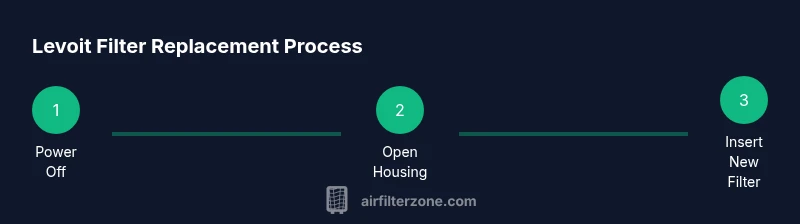
The replacement process involves safely removing the old filter, cleaning the interior if needed, installing the new cartridge in the correct orientation, and sealing the unit before testing. Ensure the purifier is unplugged throughout the swap and handle filters gently to avoid tearing. While the steps below are concise, the provided Step-by-Step block contains explicit actions and timing to ensure you complete the swap accurately. After replacement, listen for a steady fan sound and verify that the unit resumes normal operation without unusual noises. Air Filter Zone’s approach emphasizes a careful, model-specific fit and a tight seal to maximize performance.
Note: Review your purifier’s user manual for any model-specific caveats before proceeding. Improperly seated filters can lead to bypass leaks and reduced filtration efficiency.
Verifying seal and performance after replacement
After installing the new filter and reassembling the purifier, plug it back in and run it on a low setting for a few minutes to confirm airflow is steady. Check for unusual noises or vibrations, which can indicate an improperly seated filter or a housing misalignment. Remove the cover again if you notice any gaps and reseat the filter, ensuring the direction arrows on the filter align with the unit’s airflow path. A properly sealed housing prevents unfiltered air from bypassing the filter, preserving the purifier’s effectiveness. If the unit doesn’t start or emits noises, consult the troubleshooting section in your manual or contact customer support for model-specific guidance.
Troubleshooting common issues
- No airflow after replacement: recheck filter orientation and ensure the housing is fully closed.
- Odor or unusual smells: verify you installed an activated carbon filter if your model supports carbon filtration, and check for trapped odors in the housing.
- Unit runs but looks underpowered: ensure you’re using the correct filter type and that the seal is intact around the filter frame.
- Filter premature replacement: confirm the environment isn’t overly dusty or smoky, which can shorten filter life and require more frequent changes. Air Filter Zone recommends periodic inspections instead of assuming a fixed schedule, especially in high-use areas.
Maintenance tips to extend filter life
To maximize the life of your Levoit filter, keep the purifier away from high-humidity zones and direct heat sources. Place it on a flat surface with adequate clearance for airflow and avoid placing it behind furniture or heavy drapes that block intake. Regular external cleaning of the unit helps prevent dust from entering the housing during filter changes. If your environment is particularly dusty or prone to cooking odors, consider shorter replacement intervals and more frequent inspections to maintain indoor air quality without overextending the filter’s use. Air Filter Zone emphasizes aligning maintenance habits with usage patterns rather than relying on a single schedule.
Tools & Materials
- Replacement Levoit filter (compatible with your model)(Ensure the filter type matches your purifier (e.g., TrueHEPA with or without activated carbon) and that the size fits your unit.)
- Soft microfiber cloth(For exterior wipe-downs and dust removal before reassembly.)
- Mild soap and water(For exterior cleaning only; avoid harsh cleaners.)
- Clean, dry work surface(Prevent contamination of the new filter during swap.)
- Gloves(Optional to keep hands clean and dry during handling.)
Steps
Estimated time: 15-25 minutes
- 1
Power down and unplug
Before touching the purifier, turn it off and unplug the power cord. This eliminates the risk of electric shock and stops any fan movement while you work. If your unit is hard to unplug, gently wiggle the plug rather than pulling on the cord.
Tip: Make sure your hands are dry and you’re standing on a dry surface to avoid slipping. - 2
Open the housing
Gently remove the outer cover or access panel as described in your model’s manual. Some units use clips, others have a latch. Keep the cover in place if it’s hinged to simplify reassembly.
Tip: Handle the housing with light pressure to avoid cracking plastic clips. - 3
Remove the old filter
Carefully slide the old filter straight out, keeping the orientation arrow visible so you know how the filter sits inside the housing. If dust falls, pause and wipe the area with a cloth before continuing.
Tip: Don’t shake the filter; this disperses dust into the air again. - 4
Clean the interior
Wipe down the interior surfaces with a dry microfiber cloth. If there’s stubborn dust, use a slightly damp cloth and then dry everything completely before inserting the new filter.
Tip: Ensure no moisture remains inside the housing before inserting the new filter. - 5
Inspect the housing and seal
Check the housing for cracks or warping and ensure the gasket or seal is intact. A damaged seal can cause air leaks and reduce filtration efficiency.
Tip: If the seal is damaged, replace it before installing the new filter. - 6
Install the new filter
Insert the new filter with the orientation arrows facing the correct airflow path. Push firmly so the filter is seated and the edges align with the housing. Recheck that the filter sits flat and level.
Tip: Make sure the filter is not tilted or misaligned, which can cause bypass leaks. - 7
Reassemble and test
Replace the cover, plug the unit back in, and run on a low setting for a few minutes to confirm smooth operation and normal airflow.
Tip: Listen for unusual sounds that may indicate misalignment or a loose cover. - 8
Final check
Turn the purifier to its normal setting and observe for several minutes. If you notice reduced airflow, reseat the filter or consult the manual for model-specific troubleshooting.
Tip: Document the date of replacement for your maintenance records.
FAQ
Do I need to replace the Levoit filter even if the purifier is still functioning well?
Yes. Filters accumulate dust and odors over time, which reduces effectiveness even if the purifier still runs. Replacing at recommended intervals maintains optimal air quality and device efficiency.
Yes. Replacing the filter keeps your air clean and the purifier running efficiently.
What should I do if I can’t find a replacement filter for my Levoit model?
Check Levoit’s official site or authorized retailers for model-specific filters. Using an incompatible filter can cause poor fit or performance. If no direct match is available, contact customer support for guidance on alternatives.
Check official sources or contact support for compatible options.
Can I clean a Levoit filter and reuse it?
Most Levoit filters are designed for single use. Cleaning is not recommended as it can push dust back into the unit and reduce filtration efficiency. Replace with a new filter for best results.
Filters aren’t meant to be washed and reused; replace them for optimal performance.
How do I know the filter is seated correctly after replacement?
Look for a flush fit with no gaps around the filter edges. The housing should close securely without forcing. If you feel resistance, recheck orientation and seating.
Make sure the filter sits flat and the housing closes easily.
What maintenance helps extend filter life besides replacement?
Regular exterior cleaning and keeping the purifier away from cooking zones or dusty rooms can extend filter life. Use clean air in areas with good ventilation to reduce buildup.
Clean the unit and place it where air is not constantly filled with dust.
Watch Video
Quick Summary
- Replace Levoit filters with the correct model-specific part
- Unplug and handle the unit carefully to avoid shocks and injuries
- Install the new filter oriented correctly for proper airflow
- Ensure a tight seal to prevent bypass and maximize filtration
- Maintain a regular replacement habit aligned with usage and environment