How to Get Rid of Red Filter Light on Levoit Air Purifier
Learn practical, step-by-step methods to remove a red filter light on Levoit air purifiers. Diagnose causes, replace filters correctly, reset indicators, and establish a maintenance routine to prevent false alerts.


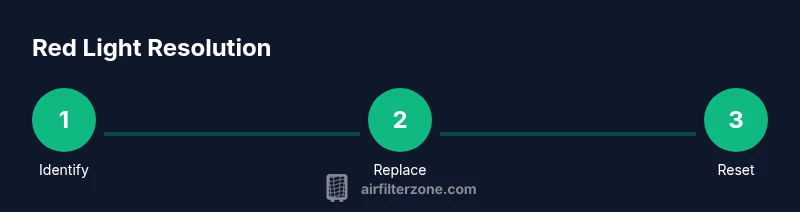
By following this guide, you will learn how to get rid of red filter light on Levoit air purifier by verifying filter life, replacing worn filters, and resetting the indicator. You’ll also learn to inspect sensors, clean the housing, and implement a simple maintenance routine to prevent future false alerts.
Understanding the red light on Levoit air purifiers
The red filter light is a maintenance alert designed to protect you and the device. It generally means the filter has reached the end of its usable life, is not installed properly, or a sensor detected an issue that could compromise air quality. For homeowners and DIY enthusiasts, addressing this signal promptly is essential to maintain optimal filtration and indoor air quality. In the context of how to get rid of red filter light on levoit air purifier, you’ll follow a structured approach: verify filter life, replace as needed, and perform a reset if required. Always consult the model’s manual for exact meanings, but the core steps stay consistent across most Levoit purifiers: replace, reseat, and reset when appropriate. Keeping the device clean and unobstructed also helps sensors read accurately.
In this guide you’ll find practical actions, not guesswork. You’ll gain a concrete plan you can repeat, regardless of room size or smoke exposure. This is especially useful for homeowners who want to maintain clean air without unnecessary downtime or expensive service calls. Air quality improves when filters are fresh and the unit runs unobstructed, so tackling the red light promptly yields tangible benefits.
Common causes of a red filter light
A red filter light can be triggered by several common factors. The most frequent is a filter that is dirty, clogged, or past its recommended lifespan. In this case, the purifier cannot capture pollutants efficiently, which triggers the alert. Another frequent原因 is improper filter installation; if the filter is mis-seated, the device senses air bypass and the alert persists. Sensor issues, such as dust on the intake vents or a loose housing seal, can also cause false alarms. Environmental factors like very high dust levels, cigarette smoke, or cooking emissions can accelerate filter wear and trigger the light sooner than expected. Finally, some models include a resetable life indicator that must be reset after replacement; failing to reset can leave the light on even with a new filter. Understanding these causes helps you address the root problem rather than merely silencing the indicator.
What to check first: filter life, orientation, and seating
Begin by confirming the filter’s age and condition. If you don’t know when the filter was last replaced, assume it’s due and prepare a replacement. Remove the front panel as directed by your manual, extract the old filter, and inspect for torn seams, moisture, or heavy dust accumulation. Replace if necessary. When installing the new filter, ensure correct orientation so arrows on the filter point in the intended airflow direction. Push the filter firmly until it seats fully and reseat the housing cover. A misaligned filter can cause air to bypass the filtration path, triggering the red light again. Finally, check that any gaskets or seals around the filter housing sit flush to the frame. A sloppy seal can cause both performance loss and false alerts.
Replacing with a compatible filter: fit, life, and compatibility
Use a replacement filter that is compatible with your specific Levoit model and that contains True HEPA filtration and activated carbon if your unit requires it. Incompatible filters may not seal correctly or could reduce filtration effectiveness, causing the indicator to stay on. Verify the filter model, size, and orientation before purchasing. Once installed, press the reset function if your model requires it, to reset life indicators. Some filters have a simple pull-and-clip method, while others require you to line up tabs. If you’re unsure, refer to the user manual for the exact steps. After replacement, it’s normal for the purifier to run with a brief “reconditioning” period where airflow gradually stabilizes.
Resetting the red light after replacement: standard approaches
Reset procedures vary by model, but most Levoit purifiers use one of these common methods: press and hold the reset or filter button for several seconds, or navigate through the control panel to reach the reset option and confirm. Some units require you to power cycle the device after replacement. If your manual specifies a different sequence, follow that exact process. It’s important to complete the reset to reflect the new filter’s life, otherwise the indicator might incorrectly continue to show red. After resetting, run the unit for 10-15 minutes and observe whether the light remains off.
Test run and sensor checks: confirming normal operation
With the purifier reassembled and reset complete, plug it in and run it in a normal room. Listen for unusual noises or rattling and check for stable airflow from the outlet.
If you still see a red light after replacement and reset, inspect the intake area for blockages, dust buildup, or pet hair that might obstruct airflow. A quick vacuum or wipe-down of the intake grille can restore proper air movement. Also confirm that ambient air in the room isn’t overwhelming the purifier’s capacity; very dirty environments may require a higher-cleaning setup or additional air purification devices. When tests indicate normal operation, you’ve effectively addressed the red light without unnecessary service calls.
Maintenance habits to prevent future red lights: a proactive plan
Create a simple maintenance routine to prevent future red lights. Note the replacement date on your calendar and set reminders every 6-12 months, depending on air quality and usage. Keep the surrounding area clean and free from clutter that can block air intake. Use fresh, compatible filters, and store extra filters in a dry place to prevent moisture damage. Periodically inspect seals and housings for cracks or gaps, especially after removing the cover for replacements. A small ongoing effort can dramatically reduce false alerts and extend the purifier’s lifespan.
Troubleshooting unusual scenarios and when to seek help
If the red light persists after all steps, the problem could be a sensor fault or a control-board issue. In this case, document the unit’s model, purchase date, and the exact sequence you followed, then contact the manufacturer’s support or a qualified service technician. If the purifier was exposed to moisture, smoke, or heavy dust, internal components may be compromised. In such cases, do not operate the unit until it has been inspected. Air quality is too important to gamble with a malfunctioning device. The goal is to restore clean air safely and reliably.
Tools & Materials
- Replacement filter(Genuine or compatible True HEPA filter with activated carbon; ensure model compatibility.)
- Microfiber cloth(Dry, lint-free for wiping dust from surfaces and sensors.)
- Screwdriver (optional)(Only if your model uses screws to access the filter housing.)
- Owner’s manual(Keep handy for model-specific reset procedures and orientation cues.)
- Gloves (optional)(To keep hands clean during filter replacement.)
Steps
Estimated time: 25-40 minutes
- 1
Power off and unplug
Ensure the purifier is fully powered down and unplugged before touching any components. This prevents electric shock and accidental sensor triggering.
Tip: Wait 1 minute after unplugging to ensure all capacitors discharge. - 2
Open the filter compartment
Gently open the front panel or filter cover following the manual. Do not force latches; damage may occur.
Tip: If panels are stiff, consult the manual for the exact opening method. - 3
Remove the old filter
Carefully remove the used filter. Inspect for torn seams, moisture, or heavy dust buildup indicating replacement is due.
Tip: Place the old filter in a bag to prevent dust spread. - 4
Install the new filter
Insert the compatible replacement filter with the correct orientation arrows pointing inward. Ensure it seats fully in the housing.
Tip: Double-check that seals are snug and no gaps remain. - 5
Reset the indicator (if required)
Follow the manual: reset may involve holding a Reset/Filter button for several seconds or using a combination sequence. The light should be reset to indicate new filter life.
Tip: If unsure, use model-specific reset steps in the manual. - 6
Close the housing and reconnect
Reattach the filter cover firmly and plug the unit back in. Ensure no loose parts remain.
Tip: Wipe away any dust from the exterior during reassembly. - 7
Run a quick test
Power on and run the purifier for 10-15 minutes to confirm the red light does not reappear during operation.
Tip: Place the unit in normal room airflow and avoid blocking the air intake.
FAQ
What does a red filter light indicate on a Levoit purifier?
A red light typically signals a filter life issue or a sensor alert. It often means the filter is dirty, overdue for replacement, or improperly installed and may require a reset after replacement.
A red light usually means the filter needs replacement or the sensor detected a problem. Replace or reseat the filter and reset the indicator.
How often should I replace the filter?
Most Levoit purifiers require replacing the filter every 6-12 months depending on usage and air quality. Check the manual and use the device's filter-life indicator if available.
Most units need replacement about every 6 to 12 months, depending on use.
Why won't the red light go off after replacement?
If the light remains red after replacement, ensure the filter is properly seated, oriented correctly, and that the reset procedure was followed exactly as described in the manual.
Make sure the new filter is seated right and you’ve used the correct reset method.
Can cleaning the filter reset the light?
Cleaning a dirty filter is not a substitute for replacement. The light should be reset only after installing a clean, compatible filter.
Cleaning isn't enough; replace the filter and reset the indicator.
What if the red light stays on despite all steps?
If the red light persists after replacement and reset, the issue may be a faulty sensor or control board. Consider service or contacting support.
If it stays on after replacement and reset, you may have a sensor or electronics issue.
Is it safe to run the purifier when the light is red?
If the light is red, avoid running for long periods until you confirm the filter is fresh and properly installed. Short operation may be okay if directed by the manual.
It’s best to fix the issue before heavy use.
Watch Video
Quick Summary
- Replace with a compatible filter first
- Reset the indicator after replacement
- Test operation to confirm light status
- Maintain routine to prevent false alerts