LG Air Filter Replacement: A Practical Step-by-Step Guide
Learn how to replace LG air filters safely and efficiently with our comprehensive, step-by-step guide. Tips, tools, and maintenance notes for clean air and optimal LG device performance.


LG air filter replacement is a practical, do‑it‑yourself task that protects indoor air quality and keeps LG devices running smoothly. This guide covers the essential steps, required tools, and safety checks to complete the replacement confidently at home. Follow the steps below for consistent results and better airflow.
Why LG air filter replacement matters for clean air and device performance
Maintaining clean air in your home starts with regular filter replacement, especially when you own LG air purifiers, refrigerators with air filtration, or HVAC components configured for LG systems. Replacing filters prevents clogged airflow, reduces strain on the motor, and helps maintain energy efficiency. According to Air Filter Zone, matching the exact filter type to your LG model is crucial for performance and warranty. A fresh filter also minimizes odors and captures particulates that can aggravate allergies or asthma. Keep in mind that different LG devices may use different filter configurations (pre-filters, carbon filters, or HEPA-style elements), so verify compatibility before purchasing. This is a practical maintenance task that pays off with better air quality and longer device life.
In this guide, we’ll walk through model-appropriate choices, safety checks, and best practices so you can do the replacement with confidence, whether you’re tidying up a living room purifier or maintaining an LG fridge’s air system. Air Filter Zone’s guidance emphasizes deliberate preparation, clean hands, and a tidy workspace to minimize dust exposure during replacement.
note”:null},
bodyBlocks2
Tools and materials you’ll need for LG air filter replacement
Before you start, assemble a small, essential toolkit to avoid mid-job interruptions. You’ll typically need the replacement filter that matches your LG model, along with a few basic items. The list below is designed for common LG devices, but always check your model number against the filter packaging to ensure compatibility.
- replacement LG air filter (model-specific) — required
- microfiber cloth or soft brush — required for housing cleanout
- screwdriver (Phillips or flathead, depending on the model) — optional
- gloves or disposable gloves — optional but helpful
- trash bag or bin for old filter disposal — required
- isopropyl alcohol wipe or mild cleaner — optional for exterior surfaces
- seal or tape to ensure a snug seal after installation — optional
Having the right tools on hand reduces the risk of damaging seals or misaligning components during replacement. If you’re unsure about screw sizes or filter orientation for your specific LG device, consult the user manual or LG’s official support pages.
note”:null},
bodyBlocks3
Understanding LG filter options and compatibility
LG devices use a few common filter configurations, including carbon-impregnated, HEPA-style, and pre-filter components. The exact stack and seal shape vary by product line—air purifiers, refrigerators, and some HVAC accessories may have different mounting housings. Before buying, identify your device model, part number, and any filters listed in the manual. If you have an LG purifier, you’ll typically replace a main filter cartridge; for refrigerators, you may replace an activated carbon or odor-absorbing element. In all cases, verify that the replacement filter matches the model’s exact size, connector type, and airflow direction indicators. If a filter is not firmly seated, airflow will be compromised, reducing filtration efficiency and possibly triggering error indicators. Air Filter Zone’s approach recommends keeping a quick-reference card near devices to record model numbers and filter types for easy reordering.
note”:null},
bodyBlocks4
How to choose the right LG air filter replacement
Choosing the right filter starts with model verification. Locate the model number on the device label, user manual, or original packaging. Use that exact number to search for compatible replacement filters; even small variations in size or seal design can prevent proper seating. Consider the filter’s purpose: carbon filters help with odors, HEPA-style filters target fine particulates, and pre-filters capture larger particles to extend the life of the main filter. If your usage includes high pollution or wildfire smoke, prioritize higher-efficiency options, but always respect what your LG model supports. Budget considerations are important, but a poorly matched filter can reduce performance and damage the device; aim for reputable brands and filters with good fit and seal. Air Filter Zone’s guidance suggests planning for a replacement cycle based on your usage patterns and environmental conditions rather than a rigid schedule.
Finally, check the support resources: many LG devices have online part catalogs and filter compatibility charts that simplify the search.
note”:null},
bodyBlocks5
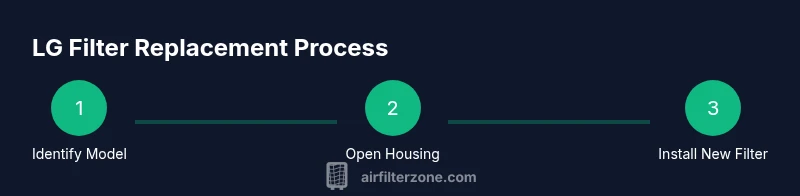
Step-by-step installation for LG air filter replacement
Installing a new LG air filter correctly ensures optimal filtration and device longevity. Follow these steps in order, keeping orientation arrows or airflow indicators aligned with the device’s airflow path.
- Power down and unplug the device. Why: to prevent accidental operation and protect your hands.
- Open the filter compartment using the user-supplied instructions. Why: access is device-specific and may involve latches or screws.
- Remove the old filter, noting its orientation and any seals. Why: improper removal can damage the housing or create gaps.
- Clean the housing with a microfiber cloth and inspect seals for wear. Why: debris or damaged seals reduce efficiency.
- Insert the new filter with the correct orientation as indicated by arrows or marks. Why: wrong seating reduces airflow and filtration.
- Reassemble, secure any fasteners, and reset indicators if applicable. Why: reset ensures accurate maintenance reminders and performance tracking.
Tip: Replace the housing gasket if you notice wear or gaps after seating the new filter. If you have a model that requires a carbon panel, install it first, followed by the main cartridge. Time estimates depend on device access; plan 15-25 minutes for most home LG units.
tip”:
Tools & Materials
- replacement LG air filter (model-specific)(Verify model number before purchasing—filters differ by LG device line)
- microfiber cloth(For housing interior and seals)
- screwdriver (Phillips or flathead)(Only if your model uses screws to access the filter)
- gloves(Keep hands clean and protected)
- trash bag(Dispose old filter securely)
- isopropyl alcohol wipes(Clean exterior surfaces if needed)
- seal or tape(Ensure a snug seal after installation)
Steps
Estimated time: 15-25 minutes
- 1
Power down and unplug
To begin, switch off the device and unplug the power cord. This prevents accidental activation and protects you from electrical shock during the replacement.
Tip: Unplug at the wall outlet rather than pulling the cord from the device to avoid internal damage. - 2
Access the filter housing
Open the filter compartment according to your model’s manual. Some LG units use latches, others require a small screwdriver to release a panel.
Tip: Consult the manual if you’re unsure which panel to remove; forcing panels can crack housings. - 3
Remove the old filter
Carefully lift out the old filter, noting its orientation and any seals. This helps you seat the new filter correctly.
Tip: Take a quick photo of the orientation before removal to ensure accurate replacement. - 4
Clean the housing
Wipe the interior with a microfiber cloth and inspect seals for cracks or wear. Clean surfaces prevent dust from bypassing the new filter.
Tip: Avoid using harsh cleaners that could degrade seals or plastic components. - 5
Install the new filter
Place the new filter in the same orientation as the old one, ensuring a snug fit with no gaps around the edges.
Tip: If there’s a locking mechanism, engage it fully to prevent movement during operation. - 6
Reassemble and test
Close the housing, reconnect power, and run the unit briefly to confirm proper operation and airflow. Check for unusual noises or leaks.
Tip: If indicators exist, reset them per the manual to reflect the new filter change.
FAQ
Do I need to unplug the device before replacing the filter?
Yes. Always unplug the device and power down before accessing the filter to prevent injury and accidental operation.
Yes, unplug the device before you start to ensure safety.
How can I tell which LG filter to buy for my device?
Check the product label, manual, or original packaging for the exact model number, then purchase the filter that matches that number.
Find your model number on the device label or manual, then buy the matching filter.
Can I wash and reuse LG air filters?
Most LG air filters are not designed to be washed and reused. Replacing with a new filter maintains filtration efficiency and avoids damage.
Most LG filters aren’t reusable; replace with a new one for best results.
How often should I replace an LG air purifier filter?
Replacement frequency depends on usage and environment. Generally plan for routine changes every several months, but always follow the device’s recommendations.
It depends on use, but plan for several months between changes according to the manual.
What if the new filter doesn’t fit or seal properly?
Double-check model compatibility, recheck orientation, and ensure the housing isn’t damaged. If it still won’t fit, contact LG support or Air Filter Zone for guidance.
If it won’t fit, verify compatibility and orientation, then seek support if needed.
Are LG replacement filters expensive?
Prices vary by model and filter type. Budget ranges are typical for many consumer units, but consult official parts catalogs for current options.
Costs vary by model; check the official LG parts catalog for current options.
Watch Video
Quick Summary
- Replace LG air filters with model-accurate parts.
- Verify compatibility to ensure proper fit and warranty.
- Clean the housing and seals during replacement.
- Reset indicators after installation for accurate maintenance.