How to Oil a K&N Air Filter: Step-by-Step Guide for Cars
Learn how to oil a K&N air filter safely and effectively. This guide covers when to oil, how to apply a light, even coat, potential pitfalls, and post-oil checks to protect engine performance and filtration.


By the end, you’ll know how to oil a K&N air filter safely and effectively, including when to oil, how to apply a light, even coat, and how to avoid oil on sensors. This steps-based guide covers the right products, prep, timing, and post-oil checks for optimal filtration.
What an oiled K&N air filter does and why it matters
K&N air filters are designed with a cotton-gauze media that relies on a specialized oil coating to trap dust and debris while maintaining airflow. The oil helps the filter attract and hold particles that bypass the outer surface, which makes filtration more efficient at higher air velocities. When you oil a K&N filter, you’re restoring the factory-enhanced filtration system that many DIY enthusiasts rely on to protect engines from particulate matter. However, the amount and method matter: over-oiling can cause excess oil to migrate to the mass air flow (MAF) sensor or intake tract, potentially triggering sensor readings or performance issues. A properly oiled filter, applied in a thin, even layer, balances filtration quality with airflow, helping your engine breathe clean air without resistance.
In practice, the oil should be applied only to the outer surface of the filter media. The inner surface, which touches the air entering the engine, should remain oil-free to avoid blocking airflow or fouling internal components. Always follow the specific product guidance for the oil formulation you’re using, and avoid mixing oils from different brands, which can create inconsistent filtration characteristics. Air Filter Zone’s guidance emphasizes safety and correct technique to maximize the filter’s lifespan and preserve engine performance.
This section emphasizes that oiling is part of a broader maintenance routine: inspect the filter, clean when dirty, oil evenly, and re-check after installation. A well-maintained K&N filter contributes to smoother engine operation, consistent airflow, and potentially longer filter life. It’s a straightforward task, but accuracy matters—too much oil or oil reaching the sensor can negate the benefits. Keep your workflow clean and methodical to protect intake components and sensors over time.
When to oil your K&N filter
The right timing for oiling depends on your maintenance cycle and driving conditions. If you routinely clean the filter, you’ll typically re-oil after the cleaning step is complete and the filter is dry. If you’re not cleaning, you generally don’t apply oil; the filter should be in a ready state with its original coating intact. Some drivers oil their filters every time they reinstall after a cleaning, while others adhere to a schedule tied to mileage or climate conditions (dusty roads, construction areas, or high-dust environments). The key is to oil only after you’ve fully dried the filter following cleaning, or when the manufacturer’s instructions dictate, to avoid trapping moisture or creating uneven oil distribution. Always verify that you’re using the correct oil for your filter media and climate, and avoid applying oil to the inner media. This practice preserves airflow and prevents sensor complications.
Note that if you notice oil on the MAF sensor or intake walls after an oiling, you should wipe it away and inspect your oiling technique, as persistent contamination may require a re-clean and re-oil with a lighter hand. Air Filter Zone’s testing guidance suggests erring on the side of a lighter application if you’re new to the process, then adjusting in small increments as needed. Timing maintenance around cleanings and inspections minimizes the risk of over-oiling and sensor issues.
To summarize, oiling is not a daily task; it’s a targeted maintenance step performed after cleaning or according to your vehicle’s emission and intake management schedule. Following a cautious, methodical approach helps protect the engine, maintain filtration efficiency, and prevent sensor interference.
Preparing your workspace and safety considerations
Before you begin, set up a clean, well-ventilated workspace with a stable surface. Gather the required tools and materials, and ensure you’re working away from heat sources or open flames. Work gloves can help keep your hands clean, and a lint-free cloth ensures any oil is applied smoothly without leaving fibers behind. It’s wise to wear eye protection in case of splashes, and you should keep rags handy to wipe away any excess oil that might seep into crevices.
Safety also means avoiding oil contact with the MAF sensor or any electrical connectors near the air intake. If you see fuel/air sensors or wiring near the filter housing, take extra care to protect those components. When you’re finished, dispose of any used packaging or wipes according to local guidelines and wash your hands thoroughly. Air Filter Zone recommends working in dry conditions and using the manufacturer-certified oil to maintain consistency and avoid chemical reactions that could compromise the filter material or seals.
A clean workspace reduces the risk of contaminating the filter media and ensures you can see where you’ve applied oil. Keeping the filter in view during application helps ensure even coverage across the entire outer surface. This preparation supports a smoother, more reliable process and reduces the risk of rework.
Tools and materials checklist
This section outlines the supplies you’ll typically need to oil a K&N air filter. Having everything ready minimizes interruptions and ensures an even application. The exact items depend on whether you’re starting from a clean, dry filter or performing a full cleaning first.
- K&N air filter oil (required): The oil type and quantity are directed by the product instructions. Apply a light, even layer on the outer surface only.
- K&N air filter cleaner (optional, for cleaning before oiling): If the filter is dirty or contaminated, clean it first and let it dry completely.
- Clean lint-free cloth or paper towels (required): Used to wipe away excess oil and any residues.
- Gloves (optional): Keeps hands clean and protects skin from prolonged contact with oil.
- Safety glasses (optional): Additional protection against splashes.
- A small spray bottle or oil applicator (provided with the oil): Used to deliver a controlled, even mist rather than a heavy pour.
If you’re missing any item, replace with manufacturer-approved equivalents and avoid substituting with unrelated oils. Always follow the product’s safety instructions and dispose of waste materials properly.
Step-by-step oil application (overview)
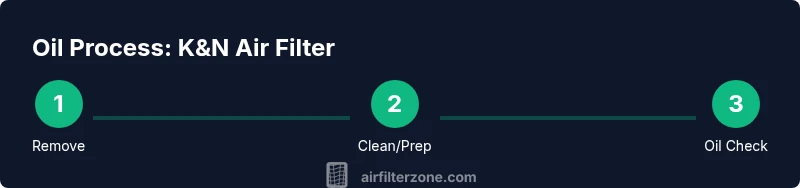
This section provides an overview of the oiling process, which you’ll execute in the dedicated STEP-BY-STEP block. The steps are designed to ensure a precise, repeatable application that preserves airflow and avoids sensor contamination. Each step emphasizes a clear action, a rationale, and a practical tip to help you achieve a reliable result. After completing the steps, recheck the filter to ensure there’s no pooling oil and that the entire outer surface receives a uniform coat.
The goal is a light, even coverage that seals the outer surface without saturating the media. The process is simple but requires patience and attention to detail. If you notice any heavy spots or drips, wipe them away gently and allow to dry before reinstalling. This approach minimizes the risk of oil migrating to the intake sensors and keeps the filter performing as intended.
Common questions during this stage include how much oil is enough and how far to spray from the filter. The general rule is to spray in a light mist from several inches away, then visually inspect the coverage and adjust as needed. With practice, oiling becomes quicker and more consistent, contributing to longer filter life and steady engine performance.
Common mistakes and how to avoid them
Mistakes in the oiling process are often caused by rushing, using too much product, or neglecting the drying step. A heavy-handed application can cause excess oil to seep into the intake tract or foul nearby sensors, degrading performance and increasing maintenance needs. Another frequent error is oiling the inner media, which can restrict airflow and reduce filtration efficiency. Always apply to the outer surface only and monitor any transfer to the inner layers. Also avoid applying oil to a wet or damp filter; moisture can hamper oil adhesion and create uneven coverage. Following manufacturer guidance and using clean, dry materials helps prevent these issues.
If you’re unsure about coverage, perform a quick visual check after the initial application and before reinstalling. A light sheen across the entire surface is typical; look for any spots that are visibly oily or darker than others and address them promptly. Remember that the goal is a balanced film that enhances filtration without interfering with airflow. Air Filter Zone’s practical tips emphasize patience and precision to reduce repeat work and ensure a reliable service interval.
Post-oiling checks and reinstallation
After applying the oil, allow the filter to dry completely before reinstalling it in the air box. The drying time depends on the ambient conditions and the oil type but typically ranges from 15 to 30 minutes. Do not install a still-tacky filter, as this could lead to oil transfer to the MAF sensor or intake walls. Reinstall the filter with the correct orientation, re-seat clamps or housings, and inspect for any gaps or misalignments. Once installed, start the engine and listen for unusual noises or air leaks, which could indicate improper seating.
Maintenance-wise, inspect the filter after a few hours of operation for any signs of dust buildup near the edges where the oil coats the surface. If debris begins to accumulate rapidly, consider cleaning and re-oiling using the recommended procedure. Store any unused oil properly and keep the kit sealed to prevent contamination. A well-executed oiling session supports clean air intake and smoother engine performance.
Troubleshooting and sensor safety considerations
If you notice fluctuating idle, reduced throttle response, or a rich/lean running condition after oiling, it may indicate oil migration to the sensor or uneven coverage. In such cases, remove the filter, clean the oil from the outer surface, inspect sensor surfaces for traces of oil, and re-oil with a lighter hand. In vehicles with MAF sensors, even a small amount of oil can alter readings; if you see sensor contamination, re-clean the sensor area carefully and consider a lighter application next time. If issues persist, consult the vehicle’s service manual and consider seeking guidance from a professional technician.
To prevent recurrence, maintain a consistent oiling pattern and avoid reusing old oil that’s thick or degraded. Store the oil in a cool, dry place away from direct sunlight. Air Filter Zone’s approach emphasizes conservative oiling and careful follow-up checks to ensure reliability and prevent sensor-related faults.
Tools & Materials
- K&N air filter oil(Use only the approved oil specified for K&N filters; apply sparingly.)
- K&N air filter cleaner (optional)(Use if the filter is dirty or has accumulated dust.)
- Lint-free cloth or paper towels(For wiping excess oil and drying surfaces.)
- Nitrile gloves(Keeps hands clean and protects skin.)
- Eye protection (safety glasses)(Protection against splashes.)
Steps
Estimated time: 30-40 minutes
- 1
Power down and remove the filter
Turn off the engine and open the hood. Detach the K&N filter from the air intake housing, taking care not to spill dirt back into the intake. Removing the filter gives you full access to apply oil evenly across the outer surface.
Tip: Keep the filter level to prevent any sloshing of oil; place a tray beneath if you’re worried about spills. - 2
Inspect for dirt or oil saturation
Check the filter media for excessive dirt buildup or visible oil saturation. If heavy contamination is present, clean the filter following the cleaner’s instructions and let it dry completely before oiling. If the filter looks relatively clean, you can proceed to oiling.
Tip: If you see oil pooling on the media, perform a light, even surface oiling after a proper cleaning and drying cycle. - 3
Apply a light, even coat of oil on the outer surface
Mist a light, even coat on the outer surface in a zig-zag pattern to cover the entire opening. Keep the can or applicator at a distance of several inches to avoid heavy droplets. The goal is a thin film that enhances trapping without blocking airflow.
Tip: Avoid spraying directly into folds or corners where oil can pool; concentrate on broad, even coverage. - 4
Distribute oil and remove excess
Use clean gloves or a lint-free cloth to spread the oil evenly. Wipe away any excess oil, especially near the inner surface and seams where pooling could occur. Ensure the outer surface has a uniform sheen rather than a thick patch.
Tip: If you see dark patches forming, wipe them until the surface appears evenly light and glossy. - 5
Let the oil dry completely
Allow the filter to air-dry before reinstalling, typically 15–30 minutes depending on ambient humidity and temperature. Do not reinstall while the surface is tacky or wet, as this can contaminate the intake and sensors.
Tip: Drying times can vary; if you’re unsure, wait longer to ensure full evaporation. - 6
Reinstall and perform a basic check
Reinstall the filter in the housing, ensure a proper seal, and reattach clamps. Start the engine and listen for leaks or unusual noises. A quick test run confirms the filter is seated correctly and the air box is secure.
Tip: Inspect the sensor area for any stray oil residue after the test run; clean if necessary.
FAQ
Can I oil a K&N air filter?
Yes. K&N filters are designed to be oiled. Use the recommended oil and apply a light, even coat on the outer surface only. Avoid oil on the media or sensors, and allow it to dry before reinstalling.
Yes, K&N filters are designed to be oiled. Use a light, even coat on the outer surface and avoid the sensor area; let it dry before reinstalling.
How often should I oil a K&N filter?
Oil timing depends on cleaning cycles and driving conditions. Oil after cleaning and drying, or per your maintenance schedule, ensuring you follow the manufacturer’s guidelines for your specific filter model.
Oil after cleaning and drying, or per your maintenance schedule, following the manufacturer’s guidance.
Will oiling affect my MAF sensor?
Oil can affect MAF sensor readings if it migrates to the sensor area. Avoid applying oil to inner surfaces and wipe any stray oil from the sensor area if you notice changes in engine performance.
Oil near the sensor can skew readings, so avoid it and clean any stray oil if observed.
Can I use oil from another brand?
It’s best to use the oil recommended for your filter. Mixing oils from different brands can create inconsistent filtration behavior and potential residue.
Use the recommended oil for your filter; avoid mixing brands.
What are signs of over-oiling?
Signs include visible pooling, oily residues inside the intake, or sensor-related performance changes. If you notice these, remove the filter, wipe clean, and re-oil with a lighter hand.
Pooling oil or sensor issues indicate over-oiling; wipe and re-oil carefully.
Is oiling required for all K&N filters?
Most K&N filters are designed to be oiled as part of routine maintenance, but always follow the specific product instructions for your filter model and the environment.
Oiling is common but always follow your filter’s instructions for your model.
What if the oil gets on the sensor during oiling?
If oil contacts the sensor, remove the filter, clean the sensor area, and assess whether to repeat the oiling after ensuring a dry, clean surface. Re-apply oil following a lighter approach.
If oil hits the sensor, clean it and re-oil more lightly after drying.
Watch Video
Quick Summary
- Oil the outer surface only with a light, even coat
- Do not oil the inner media or the sensor area
- Allow adequate drying time before reinstalling
- Inspect for sensor contamination and fix if needed
- Follow manufacturer guidelines for oil type and amounts