Why Is My Air Purifier So Loud? A Practical Troubleshooting Guide
Air Filter Zone guides homeowners through practical steps to diagnose and fix a loud air purifier, with quick checks, common causes, and maintenance tips for quieter operation.


If your air purifier sounds unusually loud, the most likely culprits are a dirty or clogged filter, loose screws or housing, or an obstructed intake. Start with the easiest fix: unplug, inspect the filter, and tighten any loose parts. If the noise persists, move on to cleaning the fan and checking for debris before considering professional help.
Why a Loud Air Purifier Happens
If you're asking why is my air purifier so loud, you're not alone. A noisy purifier is not only annoying; it can signal inefficiency, higher energy use, and reduced filtration performance. According to Air Filter Zone, most loud operation boils down to simple maintenance issues that homeowners can tackle without tools. In many cases, a noise spike means the unit is working harder than it should, either because the air intake is blocked, the filters are overdue for replacement, or the fan assembly needs attention. By identifying the sound type—rattle, hum, or high-pitched whine—you can narrow down the cause and apply a safe fix. This guide focuses on practical, DIY approaches for homeowners, car owners, and DIY enthusiasts aiming to restore quiet operation and preserve air quality.
Common Noise Sources and Quick Fixes
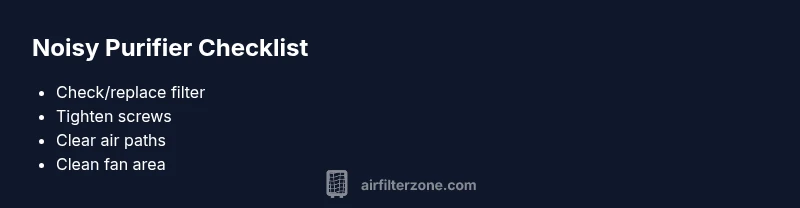
Noisy air purifiers usually fall into a handful of predictable categories. The most frequent culprits are a dirty or clogged filter, a loose grille or fan housing, and blockages in the intake or exhaust paths. Debris from pets, dust, or construction can accumulate inside the unit and vibrate against the frame. Worn bearings or a misaligned impeller can also create grinding or flopping sounds. For most users, starting with the easiest fix—check and replace the filter, then inspect mounting screws—solves the problem in minutes. If the noise persists, move to inspecting the intake for obstructions and cleaning the fan area. Remember, safety first: unplug the device before any inspection.
Quick Checks You Can Do Right Now
- Unplug the purifier and lay it on a clean, dry surface to inspect safely.
- Check the visible filter area; replace if dirty or overdue for replacement.
- Inspect the front grille, housing, and screws; tighten any loose components.
- Clear dust and debris from around the intake and exhaust paths.
- Make sure the purifier sits on a stable, hard surface; avoid soft surfaces like carpet that amplify vibration.
- Look for foreign objects inside the intake path; do not attempt to open sealed motors unless you are trained.
- Reconnect and run on a low setting to gauge noise reduction after each step.
Diagnostic Flow: Quick Path to a Fix
When the purifier runs loudly, think in terms of symptom → likely cause → fix. A clogged filter is the most common reason (high likelihood), followed by loose screws or mounting (medium), and debris or a misaligned fan (low). If the issue remains after the simple steps, test each potential cause in sequence: replace/clean the filter, tighten housing screws, remove any debris from the fan area, and finally consider a professional service if the motor shows signs of wear or fails to run smoothly. This flow helps you avoid unnecessary parts replacement and keeps noise minimization practical and safe.
Safety Considerations and When to Call a Pro
Safety is paramount. Always unplug the unit before touching any internal parts. If you notice damaged cords, cracked housing, or unusual electrical smells, stop immediately and seek professional service. Do not run the purifier with missing screws or after you hear grinding from the motor. If a DIY repair seems beyond your comfort level or if the noise recurs after the simple fixes, a certified technician can diagnose bearing wear, motor health, or internal wiring issues that aren’t safe to troubleshoot at home.
Prevention: Keeping It Quiet Long-Term
Regular maintenance is the best defense against loud air purifiers. Schedule filter changes according to the manufacturer’s recommendations and keep the intake area clear of obstructions. Vacuum dust from the grill and surrounding area every few weeks. Place the unit away from walls or loose objects that could vibrate in resonance. Finally, consider a model with a softer fan curve or a lower-noise motor if your environment demands near-silent operation.
Steps
Estimated time: 30-45 minutes
- 1
Power off and unplug
Safety first. Disconnect the purifier from the power source before touching any components to avoid electric shock or injury.
Tip: Keep the cord in view to prevent tripping. - 2
Inspect the filter
Open the filter compartment and check for excessive dust buildup. If the filter is dark, clogged, or overdue, replace it with the correct replacement model.
Tip: Do not reuse a used filter; it reduces airflow and increases noise. - 3
Tighten screws and housing
Check all visible screws around the grille and housing. Tighten any loose parts to reduce vibrations that amplify sound.
Tip: Use the screwdriver gently to avoid stripping screws. - 4
Clean the fan area
Gently remove dust from the fan blades and interior surfaces. A buildup can cause imbalance and noise.
Tip: Use a soft brush or compressed air at low pressure. - 5
Check for obstructions in intake/exhaust
Ensure nothing blocks the air path (furniture, curtains, or debris). Blockages force the unit to work harder and louder.
Tip: Leave at least a few inches of clearance on all sides. - 6
Test run and assess
Plug the unit back in and run at the lowest setting first. Gradually increase to diagnose if noise returns and identify the fixed source.
Tip: Record the sound difference to compare later.
Diagnosis: Air purifier runs loudly or vibrates excessively
Possible Causes
- highClogged or dirty filter
- mediumLoose screws or housing
- lowDebris in the intake or around the fan
- lowWorn bearings or misaligned impeller
Fixes
- easyReplace or clean the filter per manufacturer instructions
- easyTighten screws, re-seat the housing, and ensure panels are secure
- easyRemove visible debris and clean the fan area with the unit unplugged
- hardIf motor bearings are worn or the impeller is damaged, consult a professional
FAQ
Why is my air purifier so loud?
Loud operation is most commonly caused by a dirty filter, loose parts, or airflow obstructions. By systematically checking the filter, screws, and intake, you can usually restore quiet operation without replacing the unit.
A loud air purifier usually comes from a dirty filter, loose parts, or blocked airflow. Start by checking the filter and the screws, then clear any obstructions.
Can cleaning the filter reduce noise?
Yes. Cleaning or replacing a clogged filter restores proper airflow, which reduces the strain on the motor and can lower the noise level significantly.
Cleaning or replacing a clogged filter can significantly reduce noise by restoring proper airflow.
Is it safe to disassemble the fan housing?
Only if you know how to safely access the fan area and you’ve unplugged the device. If you’re unsure, skip this step and consult a professional.
Only proceed if you’ve unplugged the device and are confident; otherwise, call a pro.
What is a normal noise level for air purifiers?
Noise varies by model and fan speed. If the purifier is louder than its typical operating range at a given setting, investigate filters, loose parts, and blockages.
Noise varies by model; if it’s louder than usual for the current setting, check filters and loose parts.
How often should I replace the filter to prevent noise?
Follow the manufacturer’s replacement schedule. Replacing filters on time maintains airflow and minimizes noise over the purifier’s life.
Follow the replacement schedule in the manual to keep airflow smooth and noise low.
When should I call a technician for a loud air purifier?
If basic checks don’t reduce the noise or you hear grinding, burning, or notice diminished airflow, seek professional service to inspect motor, bearings, and wiring.
If basic fixes don’t help or you hear unusual sounds, a technician should inspect motor and bearings.
Can placement affect noise levels?
Yes. Placing the purifier on a soft surface or near walls can amplify vibration. Move it to a hard, open area with space around it for quieter operation.
Placement matters—put it on a hard surface with space around it to reduce vibration.
Is upgrading to a quieter model worth it?
If noise is a constant problem and your current purifier is older, a newer, quieter model with better airflow and energy efficiency can be a good investment.
Upgrading can be worth it if noise is persistent and you want better efficiency.
Watch Video
Quick Summary
- Identify noise type to narrow the cause
- Start with the filter and mounting checks
- Clean the fan area if safe to do so
- If noise persists, consult a professional
- Regular maintenance prevents future noise