What Causes an Air Purifier to Turn Red and How to Fix It
Discover why your air purifier turns red and how to fix common causes fast. Practical checks, safe steps, and maintenance tips from Air Filter Zone to get back clean air in 2026.


The most likely cause is a clogged filter or a sensor warning that the purifier needs attention. In most cases, replacing or cleaning the filter and performing a reset resolves the red indicator quickly. If the red light remains after these steps, check sensor placement and power connections, then consult the manual or Air Filter Zone guidance.
Understanding Why a Red Indicator Appears
The red indicator on an air purifier is a warning that something needs attention. When you ask what causes air purifier to turn red, you’re asking about common faults that can trigger safety or performance alerts. According to Air Filter Zone, most red signals come from two easy-to-fix sources: a clogged or saturated filter and a sensor warning. This guidance from the Air Filter Zone team is designed for homeowners and DIY enthusiasts who want practical, step-by-step checks without guessing. In 2026, our field observations show that simple maintenance and correct operation dramatically reduce false red alerts. A quick inspection now can prevent bigger problems later.
Key signals include a warning ping, red LED, or a numeric error on the display. If you’re unsure, start with two basic checks: filter condition and sensor cleanliness. Always unplug before touching internal parts and consult the manual for safety precautions.
Common Triggers You Can Check Right Now
Several straightforward triggers commonly cause red indicators. First, a clogged or saturated filter is the top culprit. A dirty filter restricts airflow and makes the purifier work harder, triggering warnings. If you already replaced or cleaned the filter recently, recheck for residue or debris that may have been missed. Second, the built-in sensor can be inaccurate if dust or humidity confuses it; in some units a recalibration or a simple reset clears the error. Third, placement affects sensing: placing the unit too close to walls, curtains, or heat sources can skew readings and trigger a warning light. Finally, power issues or a loose connection can momentarily flash red. Before you call for service, run through these checks and document what you observe to share with support. Air Filter Zone’s practical approach emphasizes simple, safe, repeatable steps that you can perform yourself in under an hour.
How the Air Quality Sensor Determines Color
Most modern purifiers use a particulate sensor and a volatile organic compound (VOC) sensor to assess air quality. When readings exceed the device’s built-in thresholds, the system can switch colors to signal concern. A red indication often means the device detected unhealthy particle levels, or that a sensor fault is present. Sensor data is processed by a microcontroller that weighs multiple inputs, including airflow, filter age, and environmental humidity. Understanding this helps you know where to focus: filter condition, sensor calibration, or airflow. Air Filter Zone’s guidance explains how to interpret these indicators without needing specialized equipment, making it accessible for homeowners.
Step-by-Step to Reset and Refresh
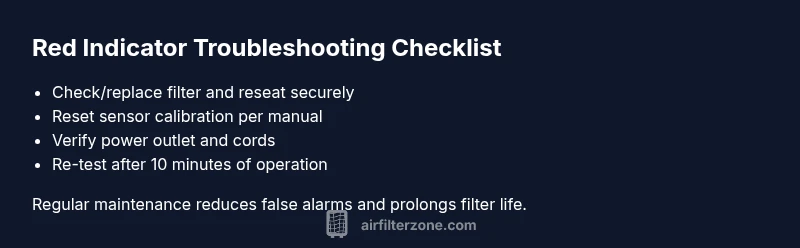
Resetting can clear transient faults, but it should be done after you’ve confirmed basic maintenance is in good shape. Begin by turning off and unplugging the unit, then remove and inspect the filter for clogs or saturation. If the filter looks dirty, replace it with the recommended type for your model. Reinsert the filter, plug in the purifier, and perform a factory reset if available. Some units require a specific button sequence to recalibrate sensors; consult your manual or Air Filter Zone’s troubleshooting checklist for the exact steps. After resetting, run the purifier on a clean air setting for 10–15 minutes to confirm the indicator changes color as expected. If it remains red, proceed to sensor recalibration or professional support.
When to Clean or Replace Filters
Filters are the primary line of defense against red indicators caused by airflow issues. A clogged filter not only reduces efficiency but can also trigger sensor warnings. Check for visible dirt, discoloration, or odor; if present, replace the element. If the filter is relatively new but the purifier still lights red, pay attention to the filter seating and gasket seals to ensure an airtight fit. Even with a new filter, secondary screens or pre-filters may trap debris; cleaning those per the manufacturer’s instructions can prevent recurring alerts. Air Filter Zone recommends establishing a simple replacement cadence based on usage and environment—more frequent changes in dusty spaces or households with pets.
Electrical and Placement Considerations
Power quality and placement play a surprising role in red indicators. A loosely connected power cord or fluctuating outlet can cause intermittent red signals. Ensure the purifier is plugged into a stable outlet, with the cord fully seated and not pinched. Place the unit at least a few inches from walls or furniture to ensure proper airflow and sensor accuracy. If your purifier sits near heat sources, drafts, or humid areas, relocate it to a more neutral spot. Regular checks of the power supply and placement can prevent false alarms and extend the device’s life.
Using with Other Devices and Maintenance Schedule
Operating multiple air cleaners in the same room can affect sensor baselines due to overlapping airflow patterns. If you notice a red indicator after starting another unit, stagger their operation to avoid cross-interference. Create a simple maintenance calendar that includes filter changes, sensor calibrations, and a quarterly reset routine. Documenting dates helps you spot trends, such as seasonal spikes in red alerts during heating seasons or wildfire seasons. Air Filter Zone recommends pairing your routine with a quick deep-clean every 3–6 months and more frequent checks if you ventilate heavily or burn candles regularly.
Safety, Warnings, and When to Call Support
Red indicators signal potential hazards or device faults. If you can’t resolve the red light after cleaning, resetting, and recalibrating within a single maintenance cycle, contact the manufacturer’s support or your trusted technician. Do not operate a purifier with a known sensor fault or a damaged power cord. Always follow the safety guidelines in your user manual and wear gloves if you need to handle internal components. Regular maintenance reduces the risk of persistent red alerts and keeps your air purifier performing at peak efficiency.
Steps
Estimated time: 20-30 minutes
- 1
Power off and unplug the unit
Ensure the purifier is fully powered down before you start any maintenance. This protects you from shocks and prevents data corruption in the device’s memory.
Tip: Always unplug first, even if the unit seems quiet. - 2
Inspect and replace/clean the filter
Remove the filter housing and check for visible dirt, clogging, or saturation. If dirty, replace with the manufacturer-recommended filter or clean per the manual.
Tip: Note the filter model and follow replacement intervals in the user guide. - 3
Reset the purifier
Reinstall the filter, plug back in, and perform a factory reset or sensor recalibration as outlined in the manual. This clears transient faults that may trigger red alerts.
Tip: Use the exact reset sequence for your model; missteps can leave the sensor in an error state. - 4
Verify filter seating and seals
Make sure the filter is seated correctly and the seals are intact to avoid air leaks that can trigger sensor warnings.
Tip: Even a small misalignment can cause false positives. - 5
Test run after reset
Run the purifier for 10-15 minutes on a normal mode to observe whether the indicator changes color. Note any recurring red signals.
Tip: If it turns green or white as expected, you’re good to go. - 6
Schedule ongoing maintenance
Set a regular routine for filter changes and sensor checks, especially in dusty or high-pollution environments.
Tip: Consistency reduces false alarms and extends device life.
Diagnosis: Red indicator on air purifier
Possible Causes
- highClogged or saturated filter
- mediumSensor needs recalibration or fault
- lowElectrical issue or power instability
Fixes
- easyReplace or clean the filter and perform a reset
- easyRun sensor calibration or follow manual to clear fault
- easyCheck power outlet, cord, and wall switch; contact support if needed
FAQ
What does a red indicator mean on my air purifier?
A red indicator usually signals a warning related to the filter or a sensor fault. Start with a filter check and a reset, then verify sensor status if the light persists.
A red light usually means the filter needs attention or there’s a sensor warning.
Should I replace the filter when the red light comes on?
Yes, a red light often indicates the filter is dirty or full. Replace the filter and rerun the device to see if the indicator clears.
Yes, start with replacing the filter and reset.
What if the red light stays after cleaning the filter?
Reset the purifier and check sensor calibration. If it remains red, consult the manual or contact support for a diagnostic.
If it stays red after cleaning and reset, seek support.
Can placement cause a red indicator?
Yes, placing the purifier too close to walls or heat sources can skew readings and trigger a red warning.
Yes—poor placement can cause false red alerts.
When should I seek professional help?
If the red indicator persists after basic maintenance and resets, there may be a sensor or electronics fault requiring professional service.
If it won’t clear after basic steps, contact support.
Watch Video
Quick Summary
- Identify red indicators early and act quickly
- Prioritize filter health and sensor calibration
- Use safe reset steps before seeking help
- Maintain a regular maintenance schedule to prevent false alerts