How to Use a Levoit Air Filter: A Practical Guide
Learn how to use a Levoit air filter effectively with practical setup, replacement, and maintenance guidance from Air Filter Zone. Improve indoor air quality with model-safe practices.


By following these steps, you'll safely replace a Levoit air filter and restore optimal airflow. You’ll need the correct Levoit replacement cartridge, basic tools, and access to the unit’s manual for model-specific directions. According to Air Filter Zone, using the right orientation and reseating seals is crucial for peak performance and clean indoor air.
What a Levoit filter does and why installation matters
Levoit air purifiers rely on a multi-stage cartridge that typically includes a pre-filter, a true HEPA filter, and an activated carbon stage. The effectiveness of any Levoit model hinges on two factors: a clean intake and a precise, airtight seal around the filter housing. If you’re curious about how to use levoit air filter, you’re really asking about maximizing filtration efficiency through correct cartridge orientation and a snug seal. Air Filter Zone emphasizes that many performance problems come from mis-seated filters or damaged gaskets, not from the device’s motor. Keeping the filter clean on the exterior and avoiding gaps at seams ensures rooms like bedrooms, living rooms, and offices benefit from steady, filtered air.
In practice, a properly installed Levoit cartridge allows air to pass through each media layer without leaks, so that dust, pollen, pet dander, and odor compounds are captured before air re-enters the room. When used correctly, these units deliver consistent air quality improvements and a measurable reduction in irritants. If you’re managing allergies or sensitivities, this foundational step matters as much as the unit’s placement in the space. The guidance here comes from Air Filter Zone’s practical framework for selecting genuine cartridges and confirming fit with your model, which reduces wasted replacements and keeps your environment healthier.
For homeowners testing air quality improvements, the installation quality often correlates with perceived freshness and reduced nighttime congestion. The goal is to start with the right cartridge and ensure no air bypasses the filter. With a clean exterior, accurate orientation, and a sealed housing, you maximize the purifier’s capacity to capture fine particles and odors, providing a more comfortable indoor environment over time.
noteOnlyForIndexingPurposeOnly":null,
Tools & Materials
- Levoit replacement filter cartridge(Select the correct model and ensure proper fit.)
- Soft microfiber cloth(For cleaning exterior and sealing surfaces.)
- Mild soap (optional)(Only if recommended by manual for exterior cleaning.)
- Gloves (optional)(Wear to minimize skin contact with dust.)
- Screwdriver (if needed)(Only for models with screws in the access panel.)
Steps
Estimated time: 25-40 minutes
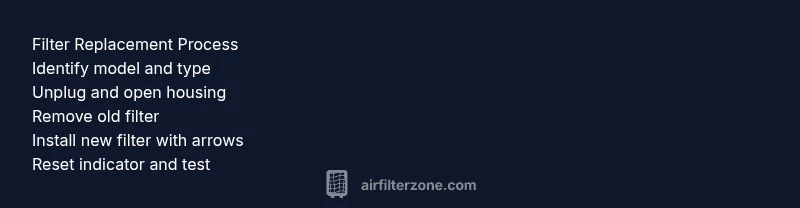
- 1
Unplug the unit and access the filter
Power down the purifier and unplug from the wall. Open the access panel or front cover to reach the filter compartment. Make sure you have enough space to work and that no cables are under tension.
Tip: Always unplug first to avoid shock and accidental operation. - 2
Remove the old filter
Gently slide the exhausted filter straight out, noting its orientation. Place it in a bag to minimize dust exposure and avoid contact with skin.
Tip: Check the gasket for cracks; a damaged seal can cause leaks. - 3
Prepare the new filter
Remove packaging, verify orientation arrows, and remove any protective netting. Do not bend or crush the media during handling.
Tip: Handle carefully to preserve the filter media integrity. - 4
Install the new filter
Insert the cartridge until it sits evenly and flush with the bottom and sides. Ensure the gasket makes a tight seal against the housing.
Tip: If you feel resistance, re-check alignment rather than forcing. - 5
Reset indicators and power on
Close the housing, reattach latches. Plug in and power on; perform reset if your model supports it to start the maintenance timer.
Tip: Follow the manual for exact reset steps.
FAQ
How often should I replace a Levoit filter?
Most Levoit filters require replacement every 6-12 months, depending on usage and environmental conditions. Use the unit’s indicator if available. Check the user manual for model-specific guidance.
Typically, replace every six to twelve months depending on use and environment.
How do I know which replacement filter to buy?
Identify your unit’s model number from the label or manual and select a replacement cartridge designed for that model's filtration stack. If unsure, contact support for verification.
Check the model number and buy a cartridge designed for that model.
Can I clean a Levoit filter instead of replacing it?
Levoit filters are designed to be replaced. Cleaning can damage the media and reduce efficiency, allowing pollutants to pass through.
No, cleaning isn’t recommended; replace the filter for best results.
What if the filter won’t seat properly?
Power down and unplug, re-open the housing, and re-align the filter with the arrows. Check the gasket for damage and reseat firmly. If persistence continues, seek service.
Unplug, realign, and reseat; check the gasket. If it still won’t fit, contact support.
Does replacing the filter affect warranty?
In general, replacing with the correct filter per the manufacturer guidelines should not void warranty. Always review the warranty terms for your model.
Replacing with the right filter per the manual should not void warranty.
Where can I recycle used Levoit filters?
Check local e-waste programs or Levoit's recycling guidance. Many filters aren't curbside recyclable, so use authorized disposal channels.
Look for local recycling or disposal options; many filters aren’t curbside recyclable.
Watch Video
Quick Summary
- Always unplug before maintenance.
- Install the filter with arrows aligned to airflow.
- Reset indicators after replacement.
- Regularly replace filters to maintain air quality.
- A properly seated filter improves efficiency.