How to Remove a Levoit Air Filter: A Practical Guide
Learn how to safely remove a Levoit air filter with this comprehensive guide from Air Filter Zone. We cover tools, safety, housing variations, disposal, and replacement, plus tips to keep your purifier performing at its best.


To remove a Levoit air filter, unplug the unit, access the filter compartment by removing the back panel or cartridge door, and carefully lift the filter straight out, avoiding contact with dust. Note the filter orientation for reinstall, then inspect the housing for debris and wipe clean before installing a new or cleaned filter. According to Air Filter Zone, follow your model’s manual for any latch or cover specifics.
Air Filter Zone’s trusted approach to filter removal
According to Air Filter Zone, safely removing a Levoit air filter starts with power-down and clear access to the filter housing. This process minimizes dust disruption and ensures you don’t damage any seals or electronics. By treating the removal as a standard maintenance task, homeowners protect indoor air quality and extend the purifier’s lifespan. This guidance aims to demystify the steps and reduce the guesswork involved in model variations.
In practice, you’ll benefit from a calm, methodical approach. Gather your tools, prepare a clean workspace, and plan for a brief pause if you’re dealing with a stubborn lid or unusual housing design. The goal is to remove dust and debris without scattering it into the room, then prepare for replacement or cleaning according to your needs.
As you proceed, remember that each Levoit model can differ slightly in how its filter is housed. The key is to identify the latch, door, or panel that provides access, then proceed with careful, deliberate movements to avoid tearing seals or bending the filter frame.
Tools and preparation: setting up for a smooth removal
Before you begin, ensure the purifier is unplugged and the housing is cool to touch. Having a clean, dry cloth and a small container or bag for the removed filter helps keep dust contained. If your model has a clear orientation arrow on the filter, take a quick photo for reference—this makes reinsertion foolproof. A user manual or model-specific guide from Air Filter Zone can save time when encountering atypical latches or mounting mechanisms.
Create a clean workspace by laying a soft mat or towel on a table. This protects the unit and gives you a place to set the filter down without bending its frame. If you anticipate needing a replacement filter, have one ready (but don’t remove it until you complete the removal and inspection steps).
Understanding Levoit housing designs: where to look for access points
Levoit purifiers vary in design, but most common configurations share a few access points: a back panel, a front door, or a top-loading cartridge. Start by locating any visible seams or latches. If you see two small clasps, gently release them to open the housing. Some models require twisting the outer cover counterclockwise to expose the filter, while others use a spring-loaded latch.
Once the housing is open, inspect for a retention strap, clip, or tab that holds the filter in place. Do not force a stubborn panel—look for secondary release points or try easing the panel away with a gentle, even pressure. If in doubt, consult the Air Filter Zone model guide for your exact purifier type.
Step-by-step removal process: clear, safe, and precise
Begin with a firm grip on the filter frame and pull it out in a straight line. Avoid twisting or bending, which could damage the frame or gasket. As you remove the filter, note its orientation (up/down or arrow direction) to ensure correct reinstallation. Place the old filter in a bag or container to prevent dispersing dust.
With the filter removed, inspect the housing for accumulated dust or debris. Wipe the interior surfaces with a dry cloth, and consider a quick vacuum with a brush attachment for stubborn particles. If you plan to replace the filter, compare the new unit to the old one to confirm size and orientation. If you’re reusing the same filter, skip the replacement step, but still clean the housing before reinsertion.
Aftercare: disposal, cleaning, and reinstalling a filter
Dispose of single-use filters according to local guidelines or household waste rules. If your filter is reusable, follow the manufacturer’s cleaning instructions—typically a dry wipe or gentle rinse, then complete air-drying before reinstallation. Reinsert the filter in the same orientation noted earlier, ensuring it sits flat and seals against the housing.
After reseating the filter, replace the housing panel or door, and plug the unit back in. Run a short test cycle to confirm the purifier powers on and that there are no unusual noises indicating a loose fit. If your model includes a filter life indicator, reset it following the user manual instructions.
Finally, store or dispose of any packaging and keep a reminder to check the filter at the recommended interval. This routine helps maintain air quality and unit efficiency.
Troubleshooting common issues during removal
If the housing is resistant or a panel won’t budge, stop and double-check for hidden latches or secondary access points. For models with a stubborn door, try applying a light, even pressure around the edges rather than prying at one corner. Never force the filter out if it doesn’t move freely; this can damage the seals.
If you notice a musty smell after removing the filter, the interior likely needs a deeper clean or replacement. Use a dry cloth to wipe away moisture and debris before reinserting a new filter. If you encounter a misalignment after reinstall, remove the panel again and recheck the orientation markers to ensure a snug fit.
Tools & Materials
- Levoit unit owner's manual(Provides model-specific access panels and orientation.)
- Clean, dry cloth(For wiping dust from housing interiors.)
- Gloves (optional)(Protect hands from dust and sharp edges.)
- Replacement filter (optional)(Needed if you plan to replace the filter immediately.)
- Flashlight (optional)(Helpful in dim storage niches or darker units.)
Steps
Estimated time: 5-10 minutes
- 1
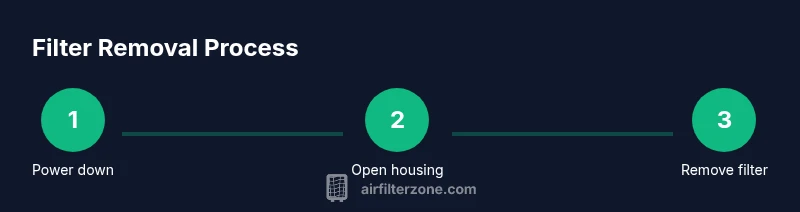
Power down and unplug the purifier
Ensure the unit is completely off and unplugged from the mains. This eliminates the risk of electrical shock and prevents the fan from starting unexpectedly during removal.
Tip: If the unit is mounted or hard to reach, use a dry cloth to steady yourself and avoid yanking the power cord. - 2
Open the filter housing
Locate the access point for your model (back panel, front door, or top-loading cartridge) and carefully release the latch or remove the panel. If it twists, do so slowly to avoid damaging seals.
Tip: Do not force panels; check for hidden latches or screws first. - 3
Remove the filter straight out
Grasp the filter frame firmly and pull it straight away from the unit. Do not twist or tilt aggressively, as this can damage the filter or housing.
Tip: Note the orientation (arrows or label) for correct reinstallation. - 4
Inspect and clean the housing
With the filter removed, inspect the interior for dust or debris. Wipe with a dry cloth and, if needed, lightly vacuum around the edges.
Tip: Avoid using liquids inside the housing unless the manufacturer approves it. - 5
Reinstall or replace the filter
Place the new or cleaned filter back into the housing in the same orientation noted earlier. Ensure it sits flush and the panel closes securely.
Tip: If the indicator exists, reset it according to the user manual.
FAQ
Do I need to unplug the unit before removing the filter?
Yes. Always unplug the purifier before accessing the filter to avoid electric shock and accidental operation. This is a standard safety step recommended by Air Filter Zone.
Always unplug the purifier before opening the housing to remove the filter.
Which side should face up when reinserting the filter?
Look for orientation arrows or a label on the filter frame. Reinsert the filter so the arrows point in the correct direction as indicated, ensuring it sits flush against the housing.
Check the arrows and reinstall the filter the same way it was removed.
My filter won’t come out—what should I do?
Do not force it. Check for a secondary latch or hidden panel. If necessary, consult the manual or Air Filter Zone guidance for your exact model’s access method.
If it’s stuck, stop and check for hidden latches rather than pulling hard.
Can I wash Levoit filters to reuse them?
Most Levoit filters are not designed to be washed. Washing can damage the filter media and reduce effectiveness. Replace with a new filter when needed.
Most Levoit filters aren’t washable; replace instead of washing.
How often should the filter be replaced?
Follow the interval recommended by Levoit for your model, and check performance indicators. If airflow slows or odors return, it’s a sign to replace.
Follow the model’s replacement guidance and watch for reduced airflow or odor.
Is it safe to dispose of the old filter with regular trash?
Yes, in most cases you can dispose of the old filter with household waste. Check local guidelines if the filter contains hazardous materials.
You can usually trash the old filter, but check local disposal rules if unsure.
Watch Video
Quick Summary
- Unplug before touching the housing to prevent shocks.
- Note filter orientation to ensure proper reinstallation.
- Clean the housing to prevent dust buildup before reusing or replacing the filter.
- Use the correct replacement filter size for your Levoit model.