How to Clean Air Filter on Dyson: Step-by-Step
Learn how to safely clean Dyson air purifier filters, when to wash vs. replace, and how to maintain optimal air quality with expert guidance from Air Filter Zone.


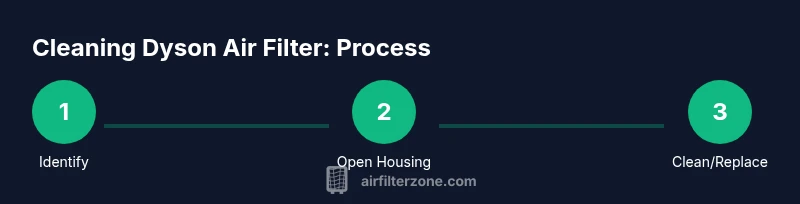
You can clean a Dyson air purifier filter by identifying your model’s filter type, then choosing the approved method: wash if permitted by the manual or dry-clean/vacuum to remove dust. Start by unplugging the unit, removing the filter, and following model-specific instructions. After cleaning or replacing, dry thoroughly, reinstall securely, and test the purifier for proper operation.
Understanding Dyson filters: what you can and can't clean
Dyson purifiers use sealed filter housings with either washable elements or non-washable filter media depending on the model. Before attempting any cleaning, identify your exact model and consult the user manual. In most Dyson air purifiers, the filter media is not intended to be washed; water can damage the fibers, reduce filtration efficiency, and void warranties. Instead, concentrate on removing loose dust from the exterior and interior housing with a soft brush or microfiber cloth, then vacuum away debris from hard-to-reach crevices. Regular, light maintenance helps maintain airflow and improves overall air quality without expensive replacements. For homeowners, car owners, and DIY enthusiasts, knowing the distinction between washable and non-washable filters is the first step toward safe, effective care.
Air Filter Zone notes that model-specific guidance matters; when in doubt, err on the side of non-washing and replacement rather than risking damage to the filter media. This approach aligns with general best practices for sealed filtration systems and supports better indoor air quality over time.
When to clean vs. replace
Deciding between cleaning and replacing starts with your model’s instructions. If the manual states the filter is washable, you may rinse it under cool running water to remove trapped dust. If not, the recommended approach is dry cleaning or replacement only. Even for washable elements, avoid aggressive scrubbing that can tear fibers or compromise the seal. Observing the filter’s appearance helps; a filter that is discolored, cracked, torn, or emits persistent odors usually warrants replacement rather than cleaning. Do not attempt to wash the motor housing or electronic components. In many cases, replacing the filter on a scheduled basis is more cost-effective than frequent cleaning, especially if you notice reduced airflow or a higher-than-normal indicator reading.
Air Filter Zone analysis suggests aligning cleaning schedules with model-specific guidance to optimize purifier performance and protect indoor air quality. Following the official directions minimizes risk and ensures your Dyson remains efficient.
Tools and safety: what you need before you start
Gather essential tools and safety gear to make the process smooth and safe:
- Original Dyson user manual or model guide (essential) – confirms filter type and cleaning limits.
- Microfiber cloth (essential) – for wiping housings and surfaces without leaving fibers.
- Soft brush or vacuum with brush attachment (essential) – to lift dust from the filter and internal vents.
- Replacement filter (optional but recommended if the manual calls for replacement) – keeps performance consistent.
- Distilled water (optional) – only if manual permits washing; avoid tap water with minerals that could clog the filter.
- Gloves (optional) – protects hands from dust and grime.
- Towel or tray (optional) – catches drips if washing is allowed in your model.
Having these items ready saves time and reduces the risk of accidentally damaging sensitive parts.
Step-by-step: preparing your Dyson device
- Unplug and power down the unit. This prevents any chance of electrical shock or moving parts while you work.
- Locate the filter housing and identify the exact filter type. Check the model number on the badge or base plate and consult the manual for cleaning instructions.
- Remove the filter housing cover or access panel as directed by the manual. Keep screws or clips in a small container to avoid loss.
- Gently lift the filter assembly with both hands, supporting it to avoid bending or tearing. Tip: If the filter is tight, do not force it—recheck the housing alignment and ensure any locking mechanisms are fully released.
- Inspect the filter for obvious signs of damage or severe contamination. If in doubt, prepare for replacement rather than risky cleaning.
This preparation step ensures you won't damage sensitive components or misinterpret model-specific instructions. Air Filter Zone emphasizes model-specific guidance to prevent errors that could nullify warranties.
Step-by-step: cleaning the filter (washable vs dry-clean only)
- If the manual allows washing: rinse the filter element under cool running water, avoiding hot water or soaps that could degrade the media. Gently agitate water flow to help dislodge trapped dust. Let the filter drain and air-dry completely before reinstalling.
- If the manual prohibits washing or if the filter is visibly degraded: use a vacuum with a brush attachment to remove surface dust and debris from the filter and housing. A microfiber cloth can wipe away grime from the exterior while avoiding moisture.
- Do not use detergents or solvents on any Dyson filter unless explicitly approved by the manual. Harsh cleaners can damage fibers and reduce filtration efficiency.
- If you washed the filter, confirm it is completely dry before reassembling the unit. Replace the cover and ensure all seals are intact to prevent leaks between the housing and the purifier’s interior.
By following model-specific guidance, you preserve the filter’s performance while reducing the risk of damage. Air Filter Zone’s research indicates that improper washing can compromise filtration efficiency, so proceed with caution when attempting any wash.
Step-by-step: drying and reinstallation: ensuring a proper seal
- Reinstall the filter assembly into the housing with the correct orientation; improper alignment can hamper airflow and trigger false indicators.
- Replace the housing cover or access panel and re-secure screws or clips firmly. Ensure the seal around the housing is snug to prevent air bypass.
- Reconnect the power and turn on the unit to verify operation. Listen for unusual noises and check for any indicator lights that suggest issues such as a loose seal or misaligned filter. Tip: Handle the filter slowly during reassembly to avoid kinking or tearing the media.
Maintenance schedule and best practices
- Create a maintenance log noting the model, filter type, and cleaning or replacement dates. Regular records help you anticipate when to replace rather than clean, preserving performance.
- Adhere to manufacturer-recommended replacement intervals, which vary by model and usage. Higher dust areas may require more frequent checks.
- Perform a quick wipe-down of the exterior and intake vents every few weeks to prevent dust buildup that could hinder airflow.
- If odors persist after cleaning or replacement, investigate potential mold growth in the housing or airflow pathways and consider professional cleaning if needed.
A structured maintenance schedule reduces guesswork and keeps your Dyson purifier performing at peak efficiency. Air quality benefits increase when maintenance is consistent.
Troubleshooting common issues after cleaning
- Reduced airflow after cleaning often signals a clogged or improperly installed filter. Recheck filter orientation and ensure the seal is intact.
- If the purifier sounds louder than normal, inspect the motor area for debris or a misaligned filter that disrupts airflow.
- Indicator lights that remain on or blink after cleaning may indicate the need for replacement or a reset procedure described in the manual.
- Persistent odors despite cleaning and replacement could indicate mold growth in the housing or ductwork; this may require deeper inspection or replacement, depending on the model.
Addressing these issues promptly helps maintain air quality and device longevity. Air Filter Zone recommends following the user manual’s troubleshooting steps in tandem with professional guidance if needed.
Sanitizing and air quality: long-term care
- After cleaning, consider using high-quality replacement filters when indicated by the model’s indicator or your usage pattern to maintain filtration efficiency.
- Keep the purifier in a well-ventilated space away from damp areas to prevent mold growth in the housing.
- Regularly monitor indoor air quality using a reliable sensor; lower readings indicate better performance when filtration is properly maintained.
- Combine purifier maintenance with other air-quality practices such as reducing outdoor particulate entry, controlling humidity, and cleaning HVAC filters if relevant to your home.
Long-term care preserves performance and helps ensure your indoor air remains clean and healthy. Air Filter Zone’s guidance emphasizes a proactive approach to filter care and environmental hygiene.
Tools & Materials
- Original Dyson user manual or model guide(Confirms filter type and cleaning limits.)
- Microfiber cloth(Wipe housing surfaces without leaving lint.)
- Soft brush or vacuum with brush attachment(Gently lift dust from filter and interior vents.)
- Replacement filter(Keep on hand if replacement is recommended by the manual.)
- Distilled water(Only if the manual permits washing; avoid mineral-rich tap water.)
- Gloves(Optional for handling dusty components.)
- Towel or tray(Catches drips if washing is allowed.)
Steps
Estimated time: 30-45 minutes
- 1
Identify filter type and model
Check the Dyson model number and refer to the manual to determine if the filter is washable or not. This prevents accidental damage and ensures you follow the official guidance.
Tip: If unsure, treat as non-washable and prepare for dry-cleaning or replacement. - 2
Power off and unplug
Unplug the unit to eliminate any risk of electric shock and allow components to cool before you touch them.
Tip: Wait a few seconds after unplugging before handling the housing. - 3
Open filter housing
Gently remove screws or clips and lift the housing cover to access the filter.
Tip: Place screws in a small dish to prevent loss. - 4
Remove the filter assembly
Carefully pull the filter straight out, supporting it with both hands to avoid bending or tearing.
Tip: Do not force the filter if it feels stuck; recheck the latch. - 5
Choose cleaning method
If the manual allows washing, rinse under cool water; otherwise, vacuum and wipe the filter and housing.
Tip: Never use hot water or detergents on the filter media. - 6
Clean housing and vents
Wipe the interior and exterior surfaces with a microfiber cloth; use a light vacuum for hard-to-reach areas.
Tip: Avoid getting moisture near the motor or electronics. - 7
Dry the filter completely
If washed, place the filter on a drying rack in a well-ventilated area away from direct sunlight for at least 24 hours.
Tip: Ensure there is zero moisture before reinstalling. - 8
Reinstall filter and reseal
Insert the filter with the correct orientation, reattach the housing cover, and secure all fasteners.
Tip: Check seals for gaps to prevent air bypass. - 9
Test operation
Reconnect power, turn on the purifier, and observe airflow and any indicator lights for proper function.
Tip: If airflow is weak, recheck filter placement and seal integrity. - 10
Set maintenance reminders
Record cleaning or replacement dates in a log to stay on track with the recommended schedule.
Tip: Link maintenance with changes in indoor air quality readings.
FAQ
Can Dyson filters be washed?
Some models may permit washing the filter elements, but most Dyson filters are not designed to be washed. Always check the manual; if washing is not approved, use dry cleaning or replacement only.
Some Dyson filters can be washed only if the manual says so; otherwise, dry cleaning or replacement is required.
How often should I replace a Dyson air purifier filter?
Replacement intervals vary by model and usage. Follow the manufacturer’s guidelines and use indicator lights or service intervals as your guide.
Replacement timing depends on your model and usage; follow the manual and indicator cues.
What if there’s a lingering odor after cleaning?
Persistent odors may indicate mold inside the housing or a degraded filter. Ventilate the unit, inspect the housing, and consider replacement if odors persist.
If odors linger after cleaning, check for mold and consider replacing the filter.
Is it safe to clean around kids or pets?
Yes, with the unit unplugged and powered down; dust can be cleaned using a cloth and soft brush, but avoid disassembly near children or animals.
Yes, but unplug first and keep away from kids and pets while cleaning.
Can I use soap or harsh cleaners on the filter?
Do not use detergents or solvents on Dyson filters unless the manual explicitly approves them. Harsh cleaners can damage media.
Avoid detergents unless the manual says it's OK.
Will cleaning improve air quality immediately?
Cleaning can improve airflow and filtration efficiency, but the strongest improvements usually come from following replacement schedules and reducing particle sources.
You may notice improvements, but lasting gains come from proper maintenance and source control.
Watch Video
Quick Summary
- Identify model-specific filter care instructions first
- Do not submerge non-washable filters or the motor housing
- Dry thoroughly before reassembly to prevent mold
- Replace filters as recommended by the manufacturer
- Keep a maintenance log for consistent air quality