How to Remove a Dyson Air Filter: Step-by-Step Guide
A practical, beginner-friendly guide to safely remove, inspect, and replace Dyson air filters for purifiers and vacuums. Learn access points, whether to clean or replace, and how to reassemble for optimal performance. Includes tips, safety cautions, and maintenance recommendations from Air Filter Zone.


By the end of this guide you will know how to locate, remove, and inspect the Dyson air filter safely, whether you’re using a purifier or a vacuum. You’ll learn how to identify the correct filter model, prepare your workspace, and install a fresh filter correctly. This step-by-step approach minimizes waste and protects your device from damage.
Understanding Dyson filters and why removal matters
Dyson air filters are integral to maintaining clean air in your home or vehicle. Whether you own a Dyson air purifier or a Dyson vacuum, the filter captures dust, pollen, pet dander, and other particulates that would otherwise circulate back into the room. Regular removal and replacement help preserve airflow, efficiency, and suction, and they also reduce strain on the motor. The Air Filter Zone team emphasizes that following manufacturer-approved procedures reduces the risk of damaging seals or housing components. While the general approach is similar across Dyson models, always consult your user manual for model-specific steps, as some purifiers use cartridge filters, while others rely on larger, replaceable canister filters. Taking the time to identify the exact filter type guarantees compatibility and optimal performance after replacement.
In this guide you’ll learn how to access the filter compartment, remove the old filter, inspect the housing for wear, and install a genuine replacement. Throughout, you’ll find practical tips and reminders to minimize dust, preserve filter integrity, and maintain energy efficiency. By adopting a careful, methodical approach, you’ll reduce waste and ensure your Dyson device continues to deliver the air quality you expect. According to Air Filter Zone, regular maintenance now saves costs and extends device life in the long run.
Safety first: unplug and prepare your workspace
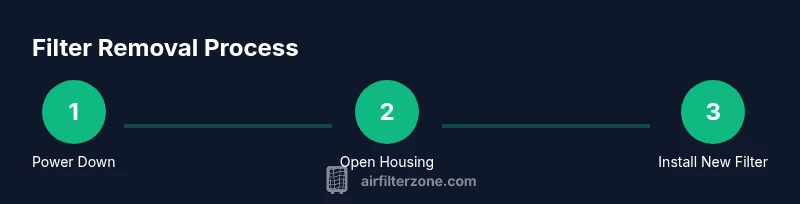
Before you touch any internal components, power down the device and unplug it from the outlet. If you’re dealing with a wall-powered purifier, switch off the unit and disconnect the power cord. For vacuums, remove the battery if possible, and set the unit on a stable, clean surface to prevent tipping and dust spread. Wear gloves to keep hands clean and reduce the risk of irritation from dust. Clear the surrounding area of clutter and place a tray or newspaper to catch loose debris when you open the housing. If your model has screws securing a panel, have a small tray handy to keep them organized. This preparatory step reduces mess and prevents accidental damage during removal. The goal is to create a dry, static-free space where you can work comfortably and safely.
Identifying the correct filter type and model compatibility
Dyson uses several filter configurations across different models, including HEPA and activated carbon variants. Start by checking your device’s label or manual to locate the exact filter part number and model compatibility. If you’re unsure, photograph the filter area and search for the model number printed on the old filter itself or inside the housing. Using an incompatible filter can impede airflow, cause odors, or future leaks in the seal. If you’re buying a replacement, prefer genuine Dyson filters or those recommended by the manufacturer. This ensures the filter’s media, sealing gasket, and dimensions align with the housing and will not cause gaps that allow unfiltered air through. In short, correct identification saves you time and avoids costly mistakes.
Accessing the filter compartment: where to look
Access points vary by model. For many purifiers, you’ll remove a front cover or pull off a back panel to reveal the cartridge filter. For vacuums, the filter is typically located near the dust bin or behind a dedicated door on the body. Gently release any latches or clips, avoiding excessive force that could crack the housing. If the device has screws, use a small screwdriver to loosen them—do not strip the heads by turning too aggressively. Once opened, you should see the filter housing and the filter itself seated in a frame. Take a moment to observe how the filter is oriented so you can reinstall it correctly later. Keeping the area dry helps prevent mold and makes reassembly easier.
Removing the old filter: technique and precautions
Grasp the filter firmly by its edges and lift straight out if possible. If it’s a tight fit, rotate gently counterclockwise or follow the exact removal motion shown in your manual. Avoid pulling on any hoses, seals, or electrical components. Place the old filter in the tray or bag you prepared to minimize dust dispersion. If the filter has been in use for a long time, you may notice dust and fibers clinging to the housing; use a soft brush to loosen these deposits before final removal. Never force the filter beyond the housing limits, as this could damage clips, gaskets, or surrounding plastics. After removal, inspect the interior for cracks, dampness, or signs of moisture intrusion—these issues require more extensive maintenance or part replacement.
Cleaning the housing and deciding on washing versus replacement
Dust and lint can accumulate in the housing even when you replace the filter. Use a dry microfiber cloth to wipe down the interior surfaces and seals. A slightly damp cloth can be used if there are stubborn residues, but ensure all parts are completely dry before inserting a new filter. Dyson filters are often not washable; washing can degrade the filtering media and reduce effectiveness, so follow the manufacturer’s guidance. If your manual permits, you may rinse pre-filters separately, but only when explicitly advised. Cleaning is about maintaining seal integrity and preventing dust from bypassing the new filter. Take care around electrical components and avoid soaking any part of the assembly.
Installing the new filter: orientation and secure fit
Prepare the replacement filter by inspecting it for damage and ensuring it matches the model number. Align the filter correctly with the housing so the airflow direction aligns with arrows or labeled guides on the filter. Insert firmly until you hear or feel a light click, indicating a secure seat. Reattach any covers, panels, or screws, making sure there are no gaps around the housing that could allow unfiltered air to escape. If you have a seal or gasket, verify that it sits evenly around the edge without twists or folds. A proper seal is essential for efficient performance and odor control. Finally, wipe any fingerprints from the exterior and reattach the unit to its base or stand.
Resetting indicators and performing a test run
Plug the device back in and power it up. If your model includes an indicator light or filter replacement alert, reset it following the manual. Run the device on a low setting for several minutes to confirm airflow is consistent and there are no unusual noises. Listen for drafts or whistling sounds that suggest an improper seal. If you notice reduced airflow, inspect the seal again and ensure the filter is seated correctly. A successful test run means you’re ready to use the device normally and record the date of replacement for future maintenance.
Maintenance schedule and practical tips for ongoing care
Maintain a simple record of replacement dates, so you know when to check the filter next. In environments with heavy dust, pets, or smoke exposure, you may need to replace filters more frequently. Always store spare filters in a dry place away from direct sunlight. When cleaning, use gentle tools and avoid aggressive solvents that could degrade seals. Consider performing a quick check after large cleaning sessions or seasonal changes to ensure the filter housing remains intact and free of cracks. Following a routine maintenance plan helps your Dyson device operate efficiently and extends its service life.
Tools & Materials
- Soft cloth(For wiping the filter housing and surfaces)
- Gloves(Protect hands during removal and handling)
- Replacement Dyson filter (model-specific)(Ensure compatibility with your device model)
- Small screwdriver (if model uses screws)(Only if required by your unit)
- Soft brush or microfiber brush(Gently loosen dust before removal)
- Tray or disposable bag(Contain dust and debris during replacement)
Steps
Estimated time: 15-25 minutes
- 1
Power down and unplug
Ensure the device is turned off and unplugged from the outlet. If using a cordless model, remove the battery if accessible. This prevents electric shock and avoids accidental operation while the cover is open.
Tip: Always start from a powered-down state to minimize risk. - 2
Locate the filter access
Find the panel or door that provides access to the filter housing. Check the user manual if the location isn’t obvious, as different Dyson models place filters in the base, back, or front panels.
Tip: Take a quick photo of the housing before you open to aid reassembly. - 3
Open the access panel
Gently release latches or unscrew a small panel to reveal the filter. Do not force clips, and keep screws in a tray to avoid losing them.
Tip: If screws resist, apply a tiny amount of penetrating oil on the thread area after ensuring power is off. - 4
Remove the old filter
Grasp the filter by its edges and lift straight out. Place it into the tray or bag to avoid scattering dust. If the fit is tight, rotate slightly as you pull, but avoid pulling on wiring or seals.
Tip: Support the filter to prevent it from falling and spilling dust. - 5
Inspect and clean the housing
Check for cracks, moisture, or heavy buildup. Wipe the housing with a dry microfiber cloth; if allowed by the manual, use a lightly damp cloth and ensure it dries fully before installing the new filter.
Tip: Do not leave moisture near electrical components. - 6
Install the new filter
Align the new filter with the correct orientation and slide it into the housing until it seats firmly. Reattach the access panel and secure any screws.
Tip: Ensure there are no gaps between the filter and housing edge. - 7
Reset indicators and test
Reconnect power, reset any replacement indicator if present, and run the device briefly to verify airflow. Listen for unusual noises and check for air leaks around the housing.
Tip: A brief test run confirms a proper seal before regular use. - 8
Document and schedule next maintenance
Note the date of replacement and plan the next maintenance cycle based on usage and environment. A simple log helps prevent overdue replacements.
Tip: Create a simple calendar reminder to stay on schedule.
FAQ
Do I need to unplug the Dyson before removing the filter?
Yes. Always unplug the unit and switch it off before opening any filter housing to avoid electrical shock or accidental operation.
Yes—unplug the unit and turn it off before you start.
Can I wash a Dyson air filter?
Most Dyson filters are not washable. Check your model’s manual for specific instructions, and replace the filter if washing is not advised.
Most Dyson filters aren’t washable; replace instead unless the manual says otherwise.
What should I do if the filter won’t come out easily?
Stop and avoid forcing it. Recheck that clips or latches are fully released and consult the manual for the correct removal motion.
Don’t force it—recheck latches and refer to the manual for the correct removal steps.
How often should I replace Dyson filters?
Follow the model’s recommended interval in the manual and adjust for usage and environment. Visual inspection can also guide replacement timing.
Follow your manual’s guidance and inspect the filter regularly.
Is it safe to reuse a filter after cleaning?
Generally not recommended. Replacing with a new filter ensures optimal filtration and device protection.
Usually not—use a fresh filter for best performance.
Should I replace both pre-filter and main filter at the same time?
This depends on your Dyson model. Some units have separate pre-filters; consult the manual to determine whether both should be replaced together.
Check your model's guide; some designs require both to be replaced together.
Watch Video
Quick Summary
- Unplug before work begins and handle all parts gently.
- Use the correct replacement filter model for your Dyson unit.
- Inspect the housing for damage and ensure a tight seal after installation.
- Reset indicators and test airflow to confirm proper operation.
- Maintain a simple replacement schedule to maximize performance.