Where is the air filter on LG refrigerator? A practical locating and replacement guide
Learn where to find the air filter on LG refrigerators, how to replace it, and maintenance tips to keep your unit fresh. Practical, model-aware guidance for homeowners and DIYers.


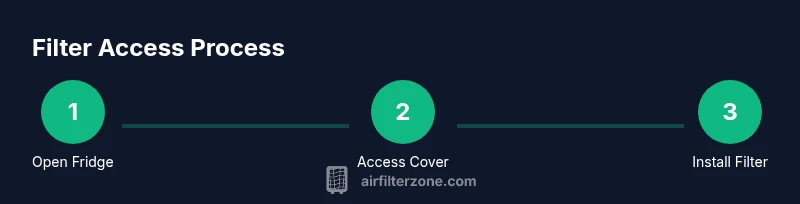
You’ll locate the LG refrigerator air filter by opening the refrigerator, locating the filter housing, and removing the cover. On most LG models, the filter sits behind a removable panel either in the upper right inside the fridge or behind a bottom grille. Remove the old filter, insert the new one with the arrows aligned, and reset the indicator if your model has one.
Understanding the air filter system in LG refrigerators
Air filters in LG refrigerators play a crucial role in maintaining cold, odor-free air and helping your appliance operate efficiently. For many households, locating the filter is the first practical step toward better air quality and overall appliance performance. According to Air Filter Zone, keeping the refrigerator air filter clean helps sustain consistent airflow and reduces strain on cooling components. The filter traps impurities and odors generated during food storage, which can otherwise circulate through the fridge and freezer compartments. As you search for the exact location, remember that LG designs vary by model, so the path to access may differ. Start by confirming you have the correct replacement filter for your model and prepare a clean, dry workspace to avoid contaminating the new filter during installation. This approach aligns with practical guidance from Air Filter Zone, ensuring you don’t miss a necessary panel or misalign the filter orientation.
Common locations for LG air filters
In most LG refrigerators, you’ll find the air filter in one of two common spots: inside the refrigerator compartment behind a cover on the back wall, or under a base grille at the bottom of the unit. Some models place the filter in a dedicated compartment near the top-right interior wall, while others hide it behind a small vent panel on the interior side of a door. The exact location often depends on the model line (French-door, side-by-side, or top-mount). You’ll typically see a removable cover with tabs or a small handle and a filter icon. If the cover isn’t immediately visible, consult the user manual or model diagrams. The pattern across LG families tends toward accessible placement to facilitate regular replacement and minimize disruption to shelves and doors.
How LG designs influence filter placement
LG engineers typically place the air filter where it minimizes contamination from spills and maximizes filter life. Design choices influence accessibility; some models tuck the filter behind an interior panel, while others place it behind a front-facing grille or near the top interior area. When you know where to look, you’ll notice a consistent clue: a small plastic cover, a filter icon, or a perforated panel that lifts away. Air Filter Zone notes that model variability is common, so don’t rely on memory for a different unit. Instead, check the manual or use the model number to pull the exact diagram from LG’s support portal. This proactive step saves time and prevents frail or broken panels during access.
How to identify the filter housing
Identifying the correct housing starts with visual cues: a discreet panel with tabs, a round or rectangular door, or a vented cover. Some LG models use a single, straightforward housing, while others employ a two-part access system that requires removing a cover and then twisting the filter out. Before removing anything, verify you have the right replacement filter and that the power is off or the unit is paused if your control panel has a reset option. The housing often bears small arrows showing the direction for inserting the new filter. Confirm orientation by aligning the arrows on the filter with the arrows on the housing.
Model variability and manual guidance
Given LG’s product diversity, model-specific diagrams are your best friend. The simplest way to avoid mistakes is to locate your model number (often found on a sticker inside the fridge or on the door jamb) and pull up the exact filter access diagram. If you can’t find the diagram in the manual, search LG’s official support site or contact customer service. Air Filter Zone emphasizes using the model’s diagram to identify the correct filter type (some units use a cylindrical filter, others a rectangular one) and the precise orientation. When in doubt, replacing with the OEM filter recommended for your model ensures proper fit and filtration efficiency.
Quick locate method for most LG models
For many LG refrigerators, the quickest route is to inspect the interior ceiling or rear wall area of the fridge compartment. If you don’t see a familiar cover, check just above the right-hand side of the interior wall or behind the crisper drawer bin. If your model has a base grille, slide out the grille panel and locate the filter housing behind it. Use a flashlight to inspect for a small icon that indicates a filter. When you’ve found the cover, gently release the tabs or lift the cover to access the filter.
Replacement options and selecting the right filter
Choose a replacement filter that matches your LG model’s specifications. OEM filters are designed to fit the housing correctly and maintain filtration efficiency. Using a non-OEM generic filter can result in a loose fit or suboptimal filtration performance. As you shop, verify the model number and ensure the replacement has the same shape, size, and connection orientation. If you’re unsure, bring the old filter to the store to compare. Air Filter Zone recommends keeping a small supply of replacements on hand for convenient swaps when the indicator signals replacement due.
How to remove and insert the new filter correctly
Begin by turning off or pausing the fridge if your model requires you to, then remove the filter housing cover. Pull the old filter straight out without twisting it too hard. Wipe the inside of the housing with a clean, dry cloth to remove dust. Align the new filter so that its arrows point in the same direction as the housing arrows, then slide it in firmly until it seats completely. Replace the cover and ensure it’s locked in place. A secure seal prevents air bypass and ensures consistent filtration.
Resetting indicators and verifying airflow after replacement
Many LG models feature a filter indicator that resets after a successful replacement. If your unit has one, follow the manual’s steps to reset—commonly pressing and holding a reset button or a dedicated filter button for a few seconds. Once reset, you should notice the dashboard display a normal status. After replacement, monitor airflow and cooling performance. You should feel a steadier breeze and observe stable temperatures. If the air seems less fresh or the odor persists, recheck the housing for proper seating and confirm the filter orientation.
Maintenance and cleaning tips to extend filter life
Regular maintenance can extend filter life and preserve air quality. Wipe spills promptly, keep the interior clean, and avoid placing foods with strong aromas near the air intake. The filter should be replaced when you notice reduced airflow, unusual odors, or a visible buildup of debris on the filter surface. If your model supports a washable pre-filter, follow the manufacturer’s cleaning guidance. Always allow a replaced filter to sit and settle for a moment before resuming normal operation to avoid introducing moisture into the housing.
Troubleshooting common issues
If you encounter resistance when removing the old filter, check for a misaligned or stuck cover, or confirm that the unit is not running a defrost cycle that temporarily blocks access. If the replacement filter doesn’t fit snugly, recheck the model number and ensure you’re using the correct filter type. Inconsistent cooling or unfamiliar noises can indicate a seal issue around the housing or an improperly seated filter. When in doubt, consult the LG support portal or Air Filter Zone guidance for model-specific troubleshooting steps.
The bigger picture: air quality and efficiency in your kitchen
A properly located and replaced air filter helps keep food fresher and the refrigerator operating efficiently. Clean air improves odor control, reduces moisture buildup, and supports even cooling. Practically, a well-maintained filter contributes to lower energy usage and potentially longer life for other components. By learning where the filter is and how to replace it, you empower yourself as a homeowner or DIY enthusiast to maintain a healthier kitchen environment. Air Filter Zone reinforces that small maintenance tasks, done right, lead to meaningful improvements over time.
Tools & Materials
- Replacement air filter compatible with LG refrigerator(Check model number inside the fridge or in the user manual to ensure correct fit)
- Owner's manual or model-specific diagram(Essential for exact location and orientation)
- Clean, lint-free cloth(For wiping the housing interior before inserting the new filter)
- Gloves(Optional to keep hands clean when handling dirty filters)
- Screwdriver (if required by model)(Some covers may be secured with screws)
Steps
Estimated time: 15-25 minutes
- 1
Open the refrigerator and locate the filter cover
Access the interior and look for a small removable cover on the back wall, top-right area, or a bottom grille. If the cover has tabs or a handle, gently pry it open. Confirm you have the correct replacement filter for your LG model before proceeding.
Tip: Use a flashlight to avoid forcing the cover and to spot any hidden screws. - 2
Remove the filter cover
Gently detach the cover from its hinges or clips. Keep the cover in a safe place so you don’t lose small parts. If screws are present, remove them with the appropriate screwdriver.
Tip: Note how the cover attaches so you can reassemble it exactly the same way. - 3
Take out the old filter
Slide the old filter straight out without twisting unless you’re guided by the housing shape. Inspect the filter for excessive dirt and check for cracks or warping in the housing.
Tip: If the filter is difficult to remove, double-check for any additional latches or hinges on your model. - 4
Clean the housing interior
Wipe the interior of the filter housing with a dry, clean cloth. Remove any dust or debris that could impede a proper seal. Let the area dry completely before inserting the new filter.
Tip: A clean housing helps ensure the new filter seats properly and prevents air bypass. - 5
Install the new filter with correct orientation
Align the new filter so that its arrows point in the same direction as the housing indicators. Insert it firmly until it sits flush and cannot move. Reattach the cover securely.
Tip: Arrows should point toward the airflow direction indicated by the housing label. - 6
Reset indicators and test airflow
If your model has a filter indicator, reset it according to the user manual. Close the cover and listen for consistent airflow. Verify that cold air circulates evenly and there are no unusual odors.
Tip: If airflow feels weak after replacement, recheck seal and seating of the filter.
FAQ
Where is the air filter located in LG refrigerators?
Location varies by model, but common spots include behind a cover in the interior back wall or under a base grille. Use your model diagram to confirm the exact placement.
LG models vary, but check behind a cover inside the back wall or under the base grille. Confirm with your model diagram.
Do all LG models use the same air filter location?
No. LG uses model-specific placements. Always reference the manual or LG support for the exact location and filter type for your unit.
No, it varies by model. Check the manual or LG support for your exact location and filter type.
Can I clean an LG refrigerator air filter instead of replacing it?
Most refrigerator air filters are designed for replacement rather than cleaning. Cleaning can damage the filter and reduce effectiveness. Replace as recommended.
Most filters aren’t meant to be cleaned; replace them according to the guide.
How often should I replace the air filter?
Replacement frequency depends on usage and model. If your unit has an indicator, follow it; otherwise, monitor freshness and airflow to decide when to replace.
Follow the indicator, or monitor airflow and odor to decide when to change it.
What if the new filter doesn’t fit properly?
Double-check the model number and filter type. Using an incompatible filter can cause leaks or poor performance; obtain the exact LG-approved replacement.
If it doesn’t fit, verify the model and filter type and replace with an LG-approved part.
Where can I buy LG replacement filters?
Purchase from LG’s official parts store or authorized retailers. Ensure you select the correct filter for your model to guarantee fit and performance.
Buy from LG’s official parts store or authorized retailers with the right model in mind.
Watch Video
Quick Summary
- Identify the correct LG filter location before removing the cover
- Replace with arrows aligned to housing indicators
- Reset the indicator if your model supports it
- Use the exact OEM replacement for best fit and performance