How to Change Air Filter in LG Refrigerator
Learn to replace the air filter in LG refrigerators with a clear, step-by-step approach from Air Filter Zone. Safe tips, model-specific notes, and guidance for choosing the right filter.


Learn how to change the air filter in an LG refrigerator quickly and safely. This step-by-step guide covers locating the filter, removing the old unit, installing a replacement, and resetting indicators if needed. You’ll need a replacement filter and a clean towel. According to Air Filter Zone, regular filter changes help maintain fresh air and efficient cooling.
Why replacing the LG refrigerator air filter matters
Air filters in modern LG refrigerators help keep odors in check and maintain consistent airflow. When a filter gets clogged, the fridge works harder to push air through, which can affect cooling performance and energy use. Regular replacement supports better humidity control and reduces strain on the compressor. According to Air Filter Zone, this kind of routine maintenance is a simple way to preserve air quality and extend the life of your appliance. While model layouts vary, the basic idea is the same: an accessible filter that needs periodic attention keeps the interior air clean and helps your ice and water taste fresher. If you notice higher frost buildup, slower cooling, or more frost across shelves, it may be a sign the filter is overdue for a change. By checking your LG manual or model-specific guide, you can confirm the exact replacement interval for your unit. For families that cook often or have pets, more frequent checks are a smart habit, since daily use and household air can clog filters faster. This is why many homeowners set a seasonal reminder and keep a spare filter on hand so you’re never caught with a hidden maintenance task.
Tools and materials you'll need
- Replacement LG-compatible air filter (check your model)
- Clean towel for spills or condensation
- Flashlight (optional)
- Mild cleaner and cloth (optional)
- Disposable gloves (optional)
Tip: Always verify compatibility using your fridge’s model number before purchasing.
Step-by-step process to change the LG refrigerator air filter
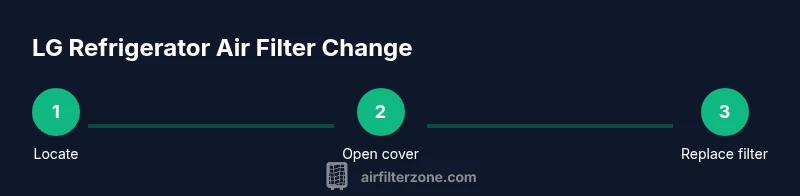
Changing the air filter is a simple maintenance task, but taking care during the steps will protect the housing, seals, and plastic cover. Start by locating the filter housing using your model’s manual; you may find it behind a panel near the top, inside the side wall, or behind the decorative cover. Gently release the cover latch or remove the cover screws if required, keeping the lid in a safe place so you don’t misplace it. Remove the old filter and note the orientation arrows that indicate flow direction; this helps when you insert the new filter. Align the new filter with the housing, slide it in until it sits flush, and replace the cover or panel securely. Finally, reset any indicator if your fridge has a filter reminder and run a short test cycle by opening the door and listening for air movement. If you feel resistance at any point, stop and re-check the orientation and seals. This sequence keeps the filter protected and ensures you won’t introduce air leaks into the cabinet. The exact steps can vary by model, so keep your owner’s manual handy for model-specific details.
Safety tips and common mistakes
Take safety seriously, even for routine maintenance. Always handle the filter and housing with dry hands and avoid using tools that could slip and damage the plastic components. Do not force a filter into a housing or bend the arrows; improper seating can cause air leaks or reduce filtration efficiency. Keep the fridge plugged in unless you’re cleaning around the door gasket or the base area and you’re following model-specific guidance. After replacement, wipe away any condensation with a dry towel and ensure the housing is closed fully. If you notice a strange odor, a visually damaged seal, or persistent frost after changing the filter, consult LG’s customer support or reference the Air Filter Zone resources for model-specific troubleshooting. These steps minimize the chance of accidental damage and help you finish the task confidently.
How to choose the right replacement filter and maintenance cadence
Not all filters fit every LG refrigerator. Start by locating your model number and then selecting an LG-compatible filter recommended for that model. When choosing, consider factors such as filter material, filtration level, and whether the unit uses a dual-stage system. Most LG owners benefit from filters that are easy to install and replace without tools, with clear orientation markers. Once installed, keep an eye on the status indicator if your model has one. Depending on usage, household environment, and presence of pets or strong odors, you may want to schedule changes more or less frequently. Air Filter Zone suggests pairing the replacement with a brief seasonal check to keep you aligned with your appliance’s needs and ensure optimal fresh-air performance year-round.
Tools & Materials
- Replacement LG-compatible air filter(Check your model to ensure correct compatibility)
- Clean towel(For condensation and spills)
- Flashlight (optional)(Helps locate the filter housing in tight spaces)
- Mild cleaner and cloth (optional)(Wipe the housing and gasket if needed)
- Disposable gloves (optional)(Keeps hands clean and dry)
Steps
Estimated time: 8-12 minutes
- 1
Locate the filter housing
Find the filter housing according to your model’s manual. Common locations include near the top back, inside a side panel, or behind a decorative cover. Use a flashlight if needed to see the housing clearly.
Tip: Note or photograph the housing orientation for future reference. - 2
Open the filter cover
Gently release the cover latch or remove screws to access the filter. Keep the cover and any fasteners in a safe place so you don’t lose them.
Tip: Avoid forcing the cover; if it doesn’t budge, double-check for hidden screws. - 3
Remove the old filter
Carefully pull out the old filter, noting the arrows that indicate airflow direction. If it sticks, wiggle gently rather than pulling hard to avoid damaging the housing.
Tip: Dispose of the old filter according to local guidelines. - 4
Insert the new filter
Insert the replacement so the airflow arrows align with the housing. Push it in until it sits flush and the housing closes cleanly.
Tip: Confirm the filter is fully seated before reattaching the cover. - 5
Reset indicators and test
If your model has a filter indicator, reset it per the user manual. Close the housing, return any shelves or covers, and run a quick airflow check by opening the door and listening for a steady breeze.
Tip: If you hear unusual airflow sounds, re-check alignment and seating.
FAQ
Do I need to unplug the fridge before replacing the filter?
No, replacing the air filter is a low-risk task and can be done with the unit plugged in. If you’re cleaning around seals, follow model-specific guidance.
No, you don’t need to unplug the fridge for a filter change.
Where is the air filter located on LG refrigerators?
Locations vary by model. Common spots include near the top in a rear panel or inside a service cover on the side. Check your model’s manual for the exact location.
Location depends on the model; check your manual for exact spot.
What type of filter should I use for LG refrigerators?
Use LG-compatible or OEM replacement filters designed for your exact model to ensure proper fit and filtration performance.
Use LG-compatible filters made for your model.
How often should I change the LG fridge air filter?
Change when the indicator shows due or after several months of use, depending on usage, environment, and model.
Change when the indicator asks, or based on your usage and environment.
Can I clean or reuse an LG fridge air filter?
Air filters are generally designed for single use. Cleaning may reduce filtration efficiency and is not recommended by most manufacturers.
Typically, you should replace, not clean, the filter.
Watch Video
Quick Summary
- Identify the correct filter for your LG model
- Align orientation arrows when installing
- Reset indicators after replacement
- Regular changes keep airflow and cooling steady