How to Replace Air Filter on Frigidaire Gallery Refrigerator
Learn how to replace the air filter on your Frigidaire Gallery refrigerator with a clear, step-by-step method. Includes what you need, safety tips, and troubleshooting for clean, fresh cooling.


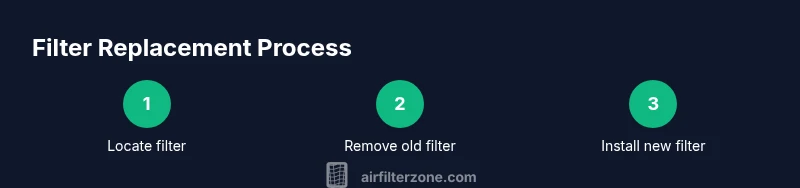
Replace the air filter on a Frigidaire Gallery refrigerator by locating the filter in the fresh-food compartment, removing the old cartridge, and snapping in a new one with proper orientation. You’ll need the correct replacement filter, a clean cloth, and a small amount of time. This guide gives you a reliable, model-safe method.
Understanding Why Air Filtration Matters in Frigidaire Gallery Refrigerators
Replacing the air filter on a Frigidaire Gallery refrigerator isn't merely about removing odors. It helps maintain interior air quality, reduces the amount of dust and particles that circulate inside the cabinet, and can help your appliance run more efficiently by limiting contaminants that clog vents and cooling pathways. In practical terms, a clean filter means less work for the cooling system and a fresher kitchen environment. According to Air Filter Zone, regular replacement keeps the fridge interior fresh and can support overall performance. That said, filters vary by model, so your replacement should match the exact Frigidaire Gallery configuration. Regular checks also help you catch a degraded filter before it affects airflow or ice quality, which is especially noticeable in busy households with frequent door openings.
How to Identify the Right Replacement Filter for Your Frigidaire Gallery
Filters for Frigidaire Gallery refrigerators come in a few compatible formats, but the goal is the same: maintain air quality and odor control while preserving energy efficiency. Start by locating your fridge’s model number (usually on a label inside the fridge or on the back of the unit) and consult the owner’s manual or the manufacturer’s website for the compatible filter type. If your manual isn’t handy, check the filter housing for a model label or check the interior label near the filter area. Always choose a filter that matches your exact Frigidaire Gallery configuration, as an ill-fitting filter can reduce airflow and won’t seal properly. Align any arrows on the filter with the housing’s indicators to ensure proper installation.
Preparation, Safety, and What You’ll Need
Plan a clean, well-lit workspace. Gather your replacement filter, a soft microfiber cloth, and a small trash bag for disposal. Optional but helpful items include gloves to keep hands clean and a flashlight for better visibility inside tight spaces. There’s no major electrical work involved, but you should avoid forcing parts or applying excessive force to the housing. Wipe the housing opening with a cloth before inserting the new filter to ensure a good seal and prevent debris from entering the cooling system. If your fridge has a filter indicator, have a pen nearby to reset it after installation.
Accessing and Replacing the Filter in a Frigidaire Gallery
Access the filter by locating the cover behind the grille or at the top of the fresh-food compartment, depending on your model. Remove the cover by gently sliding or twisting it as directed by your model’s design. Pull out the old cartridge straight, being careful not to spill dust into the cabinet. Unpack the new filter, remove any packaging, and check its orientation so the arrow points toward the fridge interior. Insert the new filter firmly until it seats with a click, then replace the cover securely. If your model has a filter indicator, reset it according to the manual to reflect the new filter installation.
Aftercare and Maintenance Tips
Wipe down the exterior and the filter housing area to remove fingerprints or residue. Run the fridge for a short period to purge any air from the new filter and verify there are no unusual noises or leaks. If you notice reduced airflow or unusual odors after replacement, recheck the filter alignment and ensure the cover is fully seated. Keeping a routine inspection schedule helps catching a dirty filter early, preserving efficiency and interior air quality.
Tools & Materials
- Replacement air filter compatible with Frigidaire Gallery refrigerator(Check your model to ensure compatibility. Look for the exact filter type recommended for your fridge.)
- Soft microfiber cloth(Use to wipe dust from the housing and seal area.)
- Trash bag(Dispose of the old filter properly and keep the area clean.)
- Gloves (optional)(Keeps hands clean when handling dusty filters.)
- Flashlight (optional)(Improves visibility inside the housing if lighting is poor.)
Steps
Estimated time: 15-20 minutes
- 1
Gather supplies and locate filter
Collect the replacement filter, cloth, and bag. Locate the filter housing by following your model’s manual or inspecting the upper area of the fresh-food compartment where the grille sits. Ensure you have good lighting and a clean workspace.
Tip: Having everything within reach reduces the risk of accidental spills or misplaced parts. - 2
Open the filter cover
Carefully remove or twist open the filter cover according to your model. If the cover uses tabs or locking clips, press or release them gently to avoid breaking the housing. Expose the old filter.
Tip: Take a quick photo of the housing before removal in case you need to reference orientation. - 3
Remove the old filter
Pull the old filter straight out, keeping it level to prevent dust from falling into the housing. Place the used filter into the trash bag immediately to minimize mess. Do not twist or turn the filter excessively; this can damage the housing.
Tip: If the filter is stubborn, use a gloved hand or a small flat tool to ease it out—do not force. - 4
Prepare the new filter
Unpack the new filter and verify its orientation. Align the arrows on the filter with the housing indicators. Remove any protective plastic, and keep the filter level to avoid bending or damage.
Tip: Never install a filter with packaging residue; a clean surface ensures a good seal. - 5
Install the new filter
Insert the new filter firmly until it seats with a small click. Replace the cover and ensure all latches or clips engage fully. Wipe away any fingerprints or dust from the exterior housing.
Tip: Check that the cover sits flat and that no edges are loose. - 6
Reset indicator and test
If your model has a filter indicator, reset it following the user guide. After installation, run the fridge for a few minutes to circulate air and confirm there are no leaks or odd noises. Store the removed packaging and note the replacement date for future maintenance.
Tip: Mark your calendar or set a reminder to inspect or replace the filter at the next interval.
FAQ
Where is the air filter located on Frigidaire Gallery refrigerators?
In most Frigidaire Gallery models, the air filter is located behind a grille or inside the upper portion of the fresh-food compartment. Access may require removing a cover or grille. Always refer to your model's manual for exact location.
The air filter is usually behind the grille at the top of the fridge; you may need to remove a cover to access it.
Do I need to unplug the fridge to replace the filter?
No. Replacing the air filter is a low-risk procedure and typically does not require unplugging the appliance. You should still exercise care to avoid touching any seals or interior components.
You usually don’t need to unplug the fridge for this replacement.
How often should I replace the air filter?
Follow the manufacturer’s guidelines and inspect the filter periodically. If you notice reduced airflow or odors, it’s a sign to replace sooner rather than later.
Check the filter regularly and replace when it looks dirty or you notice odors.
Can I clean and reuse the air filter?
Most fridge air filters are designed for single-use and should be replaced rather than cleaned. Reusing a dirty filter can reduce effectiveness and airflow.
Filters aren’t typically reusable; replace with a new one.
What if the filter indicator doesn’t reset after replacement?
Consult your refrigerator’s manual for the exact reset procedure. Some models require holding a button or performing a sequence of steps to reset the indicator.
If the light won’t reset, check the manual for the exact steps.
Are there different Frigidaire Gallery filter types?
Yes, there are variations by model. Always verify compatibility with your exact Frigidaire Gallery model and use the filter labeled for that unit.
There are different filter types; match your exact model.
Watch Video
Quick Summary
- Identify the correct Frigidaire Gallery filter by model and orientation.
- Replace the filter with the housing clean and the cover securely seated.
- Reset any filter indicator after installation to maintain accuracy.
- Regular checks help preserve air quality and appliance efficiency.