Should an Air Purifier Run All the Time? A Practical Guide
Discover whether your air purifier should run continuously, how to optimize runtimes, energy use, and maintenance for homes and cars with practical, evidence-based guidance.


Running an air purifier continuously isn’t always necessary. For most rooms, set it to ongoing operation only when pollution levels or odors are high, and use timers or smart plugs to optimize energy use. If you live in a high-traffic area or struggle with allergies, brief daytime continuous operation can help—but consider room size, CADR, and filter life to avoid waste.
How running time affects air quality and energy use
Air quality improves when clean air circulates, but running an air purifier nonstop may not always deliver proportional benefits. The phrase does air purifier need to run all the time is common among homeowners; in most rooms, continuous operation isn’t strictly necessary, yet there are times when persistent filtration helps. The key is to balance air exchange with energy costs and filter life. In spaces with heavy traffic, smoke, pet dander, or high pollen counts, longer runtimes can reduce concentrations more quickly, but you should still tailor the schedule to room size and CADR. Beginning with a baseline, you can run the purifier 4-8 hours per day in typical bedrooms or living rooms, and extend the run time when activities or outdoor pollution spike. For new users, start with a modest daily runtime and observe changes in perceived air quality and odors. If you notice persistent irritation or visible dust, you may need to increase run time or upgrade to a purifier with a higher CADR. The Air Filter Zone team emphasizes measuring results and adjusting accordingly; this approach keeps energy use reasonable while delivering noticeable air quality improvements. According to Air Filter Zone, practical runtimes depend on space, occupancy, and the types of pollutants you’re fighting. This isn’t a one-size-fits-all answer, but a flexible strategy that grows more precise with experience.
Key factors that determine runtime
Runtime decisions hinge on several variables: room size and layout, the purifier’s CADR (clean air delivery rate) relative to the space, and the desired air changes per hour. Higher traffic areas, kitchens, or homes with smokers or pets generally benefit from longer runtimes. Occupant sensitivity to allergens or odors also matters: people with asthma or severe allergies may prefer steadier filtration during peak seasons. Outside air quality, indoor VOCs, and the presence of candles or ovens can shift the required runtime. Practical testing—running the purifier for a day and watching changes in odor and dust—helps refine the schedule. Do not neglect filter life; a purifier with a clogged filter will waste energy and provide less effective filtration. If you measure occupancy and air quality with simple indicators (or a dedicated monitor), you’ll see how runtimes should scale up or down. The goal is to achieve comfortable air without excessive energy use or unnecessary noise.
Purifier designs and runtime recommendations
Different purifier designs suggest different runtime strategies. True HEPA units with sealed housings generally perform best with consistent operation in a well-sealed room, while compact or budget models may be efficient enough for intermittent use in smaller spaces. If a purifier includes a timer or smart features, leveraging those tools can optimize runtimes: schedule higher speed during peak activity and lower speed at night for sleep comfort. Some models generate more noise at higher settings, so consider the trade-off between air cleanliness and sleep quality. In practice, a mixed approach often works well: run continuously on a low to moderate setting in daily life, and switch to higher speeds during chores, cooking, or allergy seasons. Always align runtimes with room volume and CADR, and choose settings that maintain acceptable noise levels. Remember that filtration effectiveness depends on proper maintenance and timely filter changes—no amount of runtime can compensate for a saturated filter. Air purifiers aren’t a substitute for good ventilation, but they can significantly improve indoor air quality when used thoughtfully.
Practical runtime strategies for homes
A practical approach starts with a baseline plan: determine the room’s size, check the purifier’s CADR, and set an initial run time that balances air quality with energy use. In bedrooms, many people prefer running the unit for several hours before sleep and again for an hour after waking to reduce overnight irritants. Living rooms and kitchens may benefit from longer daily runtimes during peak use, with a lower speed when the room is lightly occupied. If your purifier supports timers, program it to increase filtration during typical activity windows (meals, cleanup, or when guests are present) and reduce output when the space is empty or during sleep. For households with multiple occupants, consider a zoned approach: place purifiers in high-traffic rooms and close doors to keep the air exchange efficient. Use energy monitors to compare the incremental cost of longer runtimes against the improvements in air quality, and adjust accordingly. The goal is to maintain a consistent level of air cleanliness without draining energy budgets or causing unnecessary noise.
Car use and portable purifiers
Car purifiers operate under different constraints than home units. Vehicles are smaller, so a purifier with a CADR appropriate for the cabin size is essential. For cars, continuous operation is usually unnecessary unless you have allergies, smoke exposure, or frequent highway driving with dust or pollution. A timer or programmable auto mode helps: run during trips with heavy traffic or when you’re in areas with poor air quality, and pause or reduce output when windows are closed and traffic is light. Ensure the purifier’s power draw is compatible with the car’s electrical system and that the device has a secure, vibration-resistant mounting. Regular filter checks are crucial in the mobile environment, where filters may clog faster due to pollen, dust, or exhaust particulates. A cautious approach is to use a car purifier at higher speeds or in urban canyons, coupled with occasional lower-speed operation when the vehicle is parked or idling for long periods.
Timers, energy, and automation
Automation helps optimize runtime without constant manual adjustment. A smart plug or timer can align purifier operation with occupancy patterns, outdoor air quality, and seasonal changes. For example, enable longer runtimes during pollen seasons and taper off on days with good outdoor air quality. If your unit has a night mode, use it to minimize noise while maintaining some filtration during sleep. Consider how the purifier interacts with other filtration methods in your home, such as HVAC filters and window ventilation. While smart automation can reduce energy costs, monitor overall electricity use and the purifier’s energy draw on different settings to ensure you aren’t overspending for incremental air quality gains. Documentation from reputable health and environmental sources supports the idea that continuous low-level filtration combined with periodic higher-intensity operation often yields the best balance between air quality and energy use.
Maintenance and how it affects runtime
Runtime plans must reflect filter condition. A clogged or saturated filter reduces filtration efficiency and increases energy use because the purifier has to work harder. Regularly check filters for signs of wear, discoloration, or reduced airflow; change filters as recommended by the manufacturer. Poor maintenance can create a false sense of improved air quality while actual performance declines. Cleaning the exterior and ensuring intake grilles are unobstructed helps maintain optimal airflow and runtime efficiency. When you replace a filter, note the new filter’s energy impact and expected lifespan so you can recalculate runtimes accordingly. The combination of mindful runtime scheduling and timely maintenance yields the healthiest air with sensible energy use.
Authority sources
To ground these recommendations in science and policy, consult authoritative sources:
- U.S. Environmental Protection Agency (EPA): https://www.epa.gov/indoor-air-quality-iaq/air-cleaners
- Centers for Disease Control and Prevention (CDC): https://www.cdc.gov/healthyplaces/healthyhome/indoor-air-quality.html
- Harvard Health Publishing: https://www.health.harvard.edu/staying-healthy/air-purifiers-do-they-work
These sources provide guidance on how air cleaners operate, what to expect from different technologies, and practical tips for improving indoor air quality across home and vehicle environments.
Tools & Materials
- Air purifier unit(Choose a model with CADR suitable for your room size; HEPA preferred for most rooms.)
- Smart plug or timer(Allow scheduling and energy control; ensure compatibility with purifier.)
- Replacement filters(Keep on hand and replace per manufacturer schedule.)
- Basic air quality monitor (optional)(Helps gauge air changes and purifier effectiveness over time.)
- Energy usage meter (optional)(Useful for comparing runtime costs across settings.)
Steps
Estimated time: 45-60 minutes
- 1
Assess room size and purifier needs
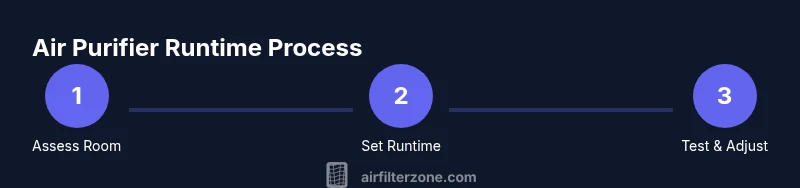
Measure the room (length × width × height) and select a purifier with CADR appropriate for that volume. Confirm the unit can handle the air changes you expect during peak periods. This baseline helps prevent over- or under-filtering from day one.
Tip: Document dimensions and CADR in a quick note for future reference. - 2
Plug in and enable automation
Connect the purifier to a smart plug or timer so you can control runtime without manual switching. Set an initial schedule that matches typical activity and sleep times. This reduces energy waste while keeping air fresh.
Tip: Label the timer with your typical daily pattern for easy adjustment. - 3
Set a baseline daily runtime
Start with a moderate daily runtime—enough to keep air circulating during active hours—and adjust after a few days based on perceived air quality. Record any odors or visible dust changes to gauge effectiveness.
Tip: Give the purifier time to impact air quality; changes may take several hours. - 4
Monitor air quality and odors
Use a simple monitor or your senses to assess changes. If you notice improvement, fine-tune runtimes; if not, consider increasing runtime or upgrading to a model with higher CADR.
Tip: If odors persist after hours, check for hidden pollutant sources and ensure proper filtration. - 5
Schedule regular maintenance
Replace filters on the manufacturer's schedule and clean intake grilles monthly. A fresh filter improves efficiency and can reduce runtime needs.
Tip: Keep replacement filters in an accessible spot to avoid downtime. - 6
Adjust for occupancy and seasonality
Increase runtimes during pollen seasons or when rooms are frequently occupied. Decrease during low-activity periods or when outdoor air quality is good.
Tip: Pair with window ventilation on clean-air days for extra effect. - 7
Review and optimize every few weeks
Reassess room dynamics, filter life, and energy costs. Update runtimes and maintenance plans to keep air quality high without overspending.
Tip: Keep a small log of runtimes and outcomes to track what works best.
FAQ
Should I run my air purifier all day in a bedroom?
Many people run purifiers in bedrooms during sleep or in shorter bursts if noise is an issue. A low, continuous mode at night can help with irritants, but you may also prefer higher speeds during pollen seasons. Tailor the runtime to comfort and noise tolerance while keeping air clean.
In bedrooms, run a purifier on quiet mode at night if it helps sleep, and adjust based on comfort and pollen levels.
How long does it take for air to refresh after turning on the purifier?
Refresh time depends on room size and the purifier’s CADR. Smaller rooms often feel improvement within minutes, while larger spaces may take hours for uniform changes. Use a monitor or your nose and eyes to judge when air feels cleaner.
It varies with room size and model; you’ll usually notice a difference within minutes to a few hours.
Is it better to run on high or low for best efficiency?
Running on a lower setting most of the time can be energy-efficient while still providing noticeable filtration. Use higher speeds during pollen spikes, cooking, or heavy pollution periods. Balance noise, energy use, and air quality to find your sweet spot.
Low settings save energy; boost to high during spikes or heavy use.
Can running an air purifier replace ventilation in a room?
No. Purifiers help remove pollutants from the air but don’t supply fresh outdoor air. For optimal indoor air quality, pair filtration with occasional ventilation or HVAC system strategies to dilute indoor pollutants.
Air purifiers complement ventilation but can’t fully replace it.
Do car purifiers need to run all the time?
In cars, nonstop operation isn’t usually necessary unless you’re exposed to heavy pollution or smoke. Use timed or auto modes for trips through busy corridors or dusty areas, and turn off when idle or parked to save energy.
Run when you’re in heavy traffic or dusty areas, not all the time.
How often should I replace air purifier filters?
Follow the manufacturer’s schedule, typically every 6-12 months for residential HEPA units, depending on usage and environment. Inspect filters monthly and replace if there is visible dirt or reduced airflow.
Replace filters per the guide, and inspect monthly for signs of wear.
Watch Video
Quick Summary
- Assess room size before choosing runtimes
- Use timers to balance air quality and energy cost
- Maintenance expands runtime effectiveness
- Tailor runtimes to activity and seasons