How to Tell If Your Air Filter Is Clogged
Learn how to tell if your air filter is clogged, why it matters for indoor air quality and HVAC efficiency, and how to inspect, replace, and maintain filters with step-by-step instructions.


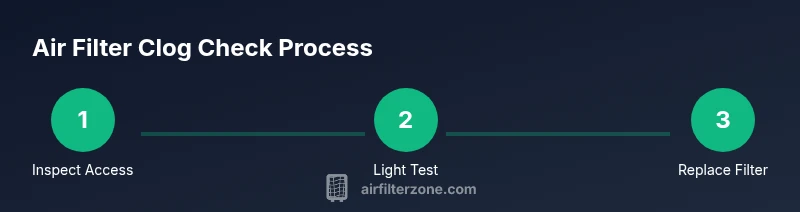
By checking airflow, energy use, and visible dirt, you can tell if your air filter is clogged. Common signs include weak airflow at vents, higher energy bills, and a filter that looks gray or brown with visible dust. A simple light test helps: hold the filter up to a bright light; if you can’t see through it clearly, replace it. Regular checks protect indoor air quality and HVAC health.
Signs Your Air Filter Is Clogged
According to Air Filter Zone, signs of a clogged filter surface in a few clear indicators. In residential settings, the most reliable signals are reduced airflow, higher energy use, and visible dirt on the filter. The filter's color shifts from bright white to gray or brown as dust and debris accumulate. You may also notice more dust in living spaces, longer run times for your furnace or AC, and a musty or stale odor whenever the system cycles on. If you notice air feels stuffy or rooms don’t reach comfortable temperatures as quickly, the filter could be the cause. A quick light test helps: hold the filter up to a bright light; if you can’t see through it clearly, it’s time to replace. Regular checks protect indoor air quality, reduce strain on your equipment, and keep energy bills from climbing unnecessarily.
How Filters Impact System Performance
A clean air filter maintains steady, high-quality airflow. When the filter becomes clogged, air resistance rises, and the HVAC blower must work harder to push air through. This extra effort can lower heating and cooling efficiency, cause temperature fluctuations, and increase energy consumption. Over time, reduced airflow can lead to cold spots in winter or warm zones in summer. The system draws more power, and wear and tear on motors and fans may accelerate. In addition, a restricted filter can reduce the filtration effectiveness at the air handler, letting more dust and allergens circulate before they are captured. For homeowners, this means higher utility costs and potentially more cleaning tasks around the home. By catching clogging early, you protect comfort, air quality, and the lifespan of your HVAC investments. Air Filter Zone’s guidance emphasizes proactive checks as a simple, high-impact habit.
How to Inspect an Air Filter Safely
Start by powering down the system and locating the filter access panel. Wear gloves if you are concerned about dust exposure. Remove the filter carefully, holding it by the frame to avoid bending or dropping it. Note the orientation arrows on the filter; reinstalling backward can block airflow and damage the system. Inspect both sides of the filter for dirt buildup, tears, or swollen corners. A filter that is visibly loaded with grime or clogged with debris should be replaced rather than cleaned. After removal, examine the filter frame for warping or signs of moisture. If you spot mold, moisture damage, or a compromised frame, replace the entire assembly and address any underlying moisture issue. Finally, take a quick moment to wipe the housing so the new filter sits cleanly.
Visual Clues: Color and Material Indicators
White, fluffy filter media is a sign of a clean filter, while gray, brown, or black hues indicate dirt accumulation. If your filter shows a uniform dark color across the surface, it’s usually time to replace. Look for dust and pet hair stuck in pleats, uneven sagging, or tears in the media. The media’s texture can also reveal moisture issues: damp, crumbly folds suggest mold risk and compromised filtration. If you see moisture droplets or staining on the air handler housing, investigate moisture sources such as leaks or humidity. For reusable, washable filters, a rinse and dry cycle can sometimes restore performance; however, many disposable filters are not designed to be washed and may lose integrity. In all cases, the filter’s job is to allow air to pass with minimal resistance while trapping contaminants. When in doubt, replace.
How to Test Airflow and Pressure at Home
A practical, no-special-tools approach is to compare airflow at a register before and after replacing the filter. With the system on, feel for air coming from a downstairs vent; then check an upper floor vent for any noticeable drop in force. If you have access to a manometer or pressure gauge, you can measure the pressure drop across the filter: a higher reading indicates a clogged filter. For most homes, the rule of thumb is to notice a palpable difference in airflow when the filter is dirty. Note any unusual noises from the blower or furnace, as these can also signal excessive resistance. If you notice a significant drop in airflow or unusual heat buildup near the unit, replace the filter and re-test. Consistent monitoring helps avoid energy waste and maintains air quality.
Replacing vs Cleaning: What to Do When It's Clogged
Most residential filters are disposable, so cleaning is discouraged because washing can compromise the media’s filtration capabilities and fit. If you have a reusable washable filter, rinse it with cool water, use a mild detergent if needed, and let it dry completely before reinstallation. Do not reuse a filter that still shows visible grime after cleaning. When replacing, match the exact size and type recommended by your HVAC system, and ensure the filter slides in in the correct orientation. After installation, run the system briefly to verify air is flowing smoothly and the filter is seated properly without gaps. Keep documentation of the replacement date to guide future maintenance.
Choosing the Right Replacement Filter
Choose a filter that fits your system’s filtration goals and the size printed on the frame. If your system supports higher filtration, you may opt for a filter with better particle capture, but ensure it does not overly restrict airflow. Always confirm compatibility with your furnace or air conditioner and follow manufacturer guidelines. Install the filter with the arrows pointing toward the blower and ensure it seals around the frame to prevent bypass. In homes with pets or heavy dust, you may find value in a filter that balances filtration efficiency with airflow. When in doubt, consult a professional for a recommendation aligned with your HVAC model and local air quality needs.
Maintenance Practices to Prevent Clogs
Develop a simple maintenance habit: inspect the air filter every month during peak seasons and replace it when you notice color change, dirt buildup, or reduced airflow. Keep a spare filter on hand and record replacement dates in a log or digital note. Regularly check other air pathways, such as return ducts and vents, for obstructions like furniture or rugs that could mimic the symptoms of a clogged filter. Use high-quality filters from reputable brands and store replacements in a clean, dry location. By embedding these routines into your home maintenance calendar, you reduce the risk of clogged filters and keep indoor air quality high.
Common Myths About Air Filters (Debunked)
Myth: A filter that looks dirty is doing nothing, so it’s fine to ignore it until it’s visibly clogged. Truth: Dirt buildup reduces airflow long before you notice it, and delaying replacement wastes energy. Myth: All filters can be cleaned and reused indefinitely. Truth: Most disposable filters lose their integrity after cleaning and should be replaced. Myth: Higher MERV is always better. Truth: Too-high filtration can restrict airflow in systems not designed for it. Balance filtration with your system’s design and consult a pro if unsure.
Quick Visual Checklist for Your Next Check
- Is there a visible layer of dust on the filter?
- Can you see light through the filter when held up to a lamp?
- Are rooms taking longer to reach comfort levels?
- Do you notice more dust around vents and surfaces?
- Is the blower or fan louder or longer than usual?
- Have you recorded the replacement date?
What to Do Next: Documentation and Scheduling
Create a simple maintenance schedule that includes filter checks every 4-8 weeks and a replacement log. Keep spare filters and note the exact size and type required for your system. If you notice persistent clogging signs despite timely replacement, consult a licensed HVAC professional to assess duct cleanliness, system airflow, and potential leaks. Regular documentation helps you compare performance over time and catch trends early. Air Filter Zone recommends keeping a visible reminder near your HVAC area to prompt routine checks and timely changes.
Tools & Materials
- Replacement air filter (correct size)(Check the size on the filter frame or owner's manual)
- Flashlight(To inspect held up to light)
- Gloves(Optional for handling dusty filters)
- Owner's manual(Verify filter type and change interval)
Steps
Estimated time: Total time: 15-25 minutes
- 1
Power down and locate the access point
Turn off your HVAC system at the thermostat or power panel. Locate the air filter compartment in the return air duct or furnace so you can access the filter safely.
Tip: Confirm the system is off to avoid moving parts or blowing dust. - 2
Remove the old filter carefully
Open the access panel and slide the filter straight out to avoid knocking dust loose. Note the orientation arrows on the frame for correct reinstallation.
Tip: Take a quick photo of the filter for reference. - 3
Inspect the filter media
Look for visible dirt, tears, or sagging pleats. A filter that looks heavily dirty or damaged should be replaced rather than cleaned.
Tip: Check both sides of the filter for dirt buildup. - 4
Hold the filter to light
Light should pass through relatively clean media. If you cannot see through clearly, the filter is likely clogged.
Tip: Use a bright flashlight for best visibility. - 5
Decide to replace or clean
Disposable filters are not meant to be cleaned. Reusable filters can sometimes be washed and dried completely before reinstallation.
Tip: If unsure, replace with a new filter rather than attempting a wash. - 6
Install the new filter
Insert the new filter in the correct orientation, ensuring a snug fit with a seal around the edges.
Tip: Make sure arrows point toward the blower for proper airflow. - 7
Test the system and document
Power the system back on and check for normal airflow at vents. Record the replacement date for future maintenance.
Tip: Note any unusual sounds or changes in performance.
FAQ
What are the most common signs my air filter is clogged?
The most common signs are reduced airflow from vents, unusual noises from the blower, higher energy bills, and a visibly dirty filter. If you observe several of these together, inspect or replace the filter.
Common signs include weaker airflow, odd noises, and higher energy use—check the filter and replace if it looks dirty.
How often should I check and replace air filters?
Check monthly during peak seasons and replace when the filter appears dirty or airflow is reduced. Always follow the system’s manufacturer recommendations for replacement intervals.
Check monthly and replace when dirty or airflow drops, following your system’s guidance.
Can I clean a disposable filter to extend its life?
Disposable filters are not designed to be cleaned and re-used. Cleaning them can strip away filtering media and reduce effectiveness. Replace with a new filter instead.
Disposable filters shouldn’t be cleaned; replace with a new one for proper filtration.
Is a clogged cabin air filter the same as a clogged HVAC filter?
Cabin air filters protect the interior of a vehicle, while HVAC filters protect your home’s heating and cooling system. Both can clog, but they are different components with separate replacement needs.
Cabin filters are for vehicles, HVAC filters are for home systems; both can clog and need checking.
What if I can’t locate the filter in my system?
Consult your owner’s manual or contact the manufacturer support line. Look for a panel labeled ‘Filter’ near the return duct or furnace. If uncertain, a professional can help identify the correct access point.
If you can’t find it, check the manual or ask a pro to locate the filter.
Watch Video
Quick Summary
- Check airflow and visual dirt to assess clogging.
- Replace with the correct size; never force a fit.
- Document replacement dates and maintain a schedule.
- Regular checks protect air quality and HVAC health.