Replace Air Filter LG Refrigerator: Step-by-Step Guide
Learn a clear, step-by-step process to replace the air filter in LG refrigerators. Get tools, safety tips, and maintenance guidance from Air Filter Zone to keep your fridge running efficiently and odors at bay.


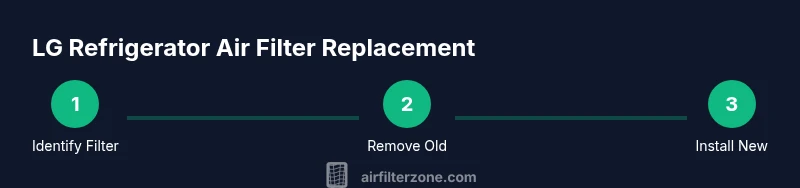
This guide demonstrates how to replace the air filter in an LG refrigerator, including identifying the correct filter model, gathering the right tools, safely powering down, removing the old filter, installing the new one, and verifying proper operation. It’s a quick, doable home maintenance task that typically takes about 10-15 minutes and helps maintain optimal airflow and freshness.
Why Air Filter Replacement Matters in LG Refrigerators
Regularly replacing the air filter in an LG refrigerator helps maintain clean air circulation, reduce unusual odors, and support optimal appliance performance. According to Air Filter Zone, using the correct filter model and replacing it on a reasonable schedule can contribute to consistent cooling and improved energy efficiency. For households with strong cooking odors or nearby pets, the filter plays a key role in keeping fridge air fresh and free of particulates that can drift into stored foods. Always consult your model’s manual to confirm the recommended replacement interval and filter type, then follow this guide to do the job safely and correctly.
How to Identify the Right LG Filter for Your Refrigerator
LG refrigerators use model-specific air filters. The first step is to locate your model number (often found on a sticker inside the fresh food door or on the back/bottom of the unit) and then reference the LG filter catalog or your owner’s manual to identify the exact part number. If you’re unsure, photograph the current filter and bring the photo to a local appliance retailer or search LG’s official support site. Choosing the correct filter ensures proper fit, filtration efficiency, and no fitment issues during installation.
Safety First: Power Down and Prepare the Area
Before touching any internal components, unplug the refrigerator or switch off the dedicated circuit if you’re uncomfortable working near the appliance’s electrical components. Clear the surrounding area to avoid knocking over items. Have a soft mat or towel ready to protect the floor, and keep a trash bag handy for easy disposal of the old filter. If your model includes an alarm or indicator light, note the status and be prepared to reset it after installation.
Tools and Materials You’ll Need (and Why)
Having the right tools reduces frustration and helps prevent damage. You’ll want a replacement LG air filter that matches your model, a soft cloth or microfiber towel to clean the housing, and optionally gloves to keep your hands clean. A small screwdriver is rarely required, but some LG models use a slight twist-and-lock mechanism that benefits from a gentle tool-assisted lift. The detailed list is in the Tools & Materials section, but having the basics on hand makes the process smoother and safer.
Step 1: Locate and Prepare the Filter Housing
Open the refrigerator and locate the air filter housing. In many LG models, the filter sits behind a small access panel inside the fresh food compartment or near the crisper. Gently remove the panel or open the door cover to expose the filter. Check whether the filter is a cartridge that twists or a cap that unscrews; orientation matters for a proper seal. Keeping the area clean reduces the risk of introducing debris into the housing during replacement.
Step 2: Remove the Old Filter
If the filter twists out, grip it firmly and rotate counterclockwise to release the lock. If it’s a snap-in design, pull straight out with steady, even pressure. In some designs, you may need to press a release tab before withdrawing. Do not force the filter—excessive force can damage the housing. Once removed, place the old filter in a trash bag and wipe the housing with a clean microfiber cloth to remove dust and debris.
Step 3: Clean and Inspect the Filter Housing
With the old filter removed, inspect the housing for cracks, moisture, or buildup. Wipe the interior with a damp cloth and let it dry completely before installing the new filter. This ensures a tight seal and prevents unfiltered air from bypassing the filtration media. If you see any damage, consult LG support before proceeding.
Step 4: Install the New Filter (Correct Orientation)
Unbox the replacement filter and confirm its orientation markings align with the housing. Insert the filter straight into the slot and twist or press until you hear a subtle click or see the lock engage. Some LG models require a counterclockwise twist to secure; others use a push-to-lock mechanism. Ensure the filter sits flush and the housing cover sits evenly.
Step 5: Reassemble and Verify Alignment
Replace the housing cover or panel, ensuring it sits flush and doesn’t bind the door. Close the refrigerator door and gently test for any resistance or misalignment. If your model has an indicator light, it may briefly flash as the system detects the new filter, then return to normal operation. A quick visual check confirms the installation is complete.
Step 6: Resetting Indicators and Testing
Many LG refrigerators feature a filter status indicator that requires a reset after replacement. Follow your manual’s instructions to reset the indicator, typically by holding a button or toggling a control sequence. After reset, run a quick cycle or wait a few minutes to verify the airflow is steady and the interior smells fresh. If you notice unusual noises or poor airflow, recheck the filter seating and orientation.
Maintenance Tips and Replacement Schedule (Best Practices)
Keep a reminder for filter replacement aligned with your usage and household conditions. In homes with frequent cooking, strong odors, or pets, you may want to replace filters more often; in lighter-use settings, less frequent changes may be sufficient. Always rely on manufacturer guidance as the baseline. Air Filter Zone recommends recording the replacement date to help maintain consistent maintenance habits.
Disposal, Recycling, and Environmental Considerations
Properly dispose of the old filter according to local waste regulations; many filters are compostable or recyclable, depending on materials. Rinse and dry the new filter before use if recommended by LG and avoid reusing filters. This keeps the filtration system performing as designed and reduces environmental impact while preserving indoor air quality.
Troubleshooting Quick Wins: When Replacement Isn’t Sufficient
If the replacement doesn’t improve airflow or odors, double-check that you purchased the correct model, confirm the filter is fully seated, and inspect the housing for damage. A misfit or partial insertion can create air gaps. If problems persist, consult LG support or Air Filter Zone for model-specific guidance and potential filter alternatives.
Tools & Materials
- Replacement LG air filter (model-specific)(Purchase based on your fridge model; verify with manual or packaging.)
- Soft microfiber cloth(For cleaning the filter housing and panel surfaces.)
- Gloves (optional)(Keeps hands clean and dry during replacement.)
- Owner's manual or model reference(Helpful to confirm exact filter type and replacement interval.)
- Trash bag or container(Dispose of the old filter securely.)
Steps
Estimated time: Estimated total time: 15-20 minutes
- 1
Power down and locate filter housing
Unplug the fridge or switch off the dedicated circuit if you’re uncomfortable working near it. Open the fresh-food compartment and locate the airflow filter housing behind an access panel.
Tip: Ensure the area around the panel is clean before opening to avoid debris entering the housing. - 2
Remove old filter
If the filter twists, rotate counterclockwise to release. For snap-in designs, press the release tab and pull straight out. Do not force.
Tip: Take a photo of the old filter orientation for reference when installing the new one. - 3
Clean the housing
Wipe the interior with a damp microfiber cloth and allow it to dry completely. Check for cracks or moisture; if damaged, stop and consult LG support.
Tip: Allow at least a minute of air-drying time to ensure a clean seal. - 4
Prepare the new filter
Unpack the new filter and inspect for any packaging residue. Align orientation marks with the housing as described in your manual.
Tip: Don’t touch the filtration media with dirty hands; handle by the edges. - 5
Install the new filter
Insert the filter fully into the slot and twist or push until it locks. Confirm it sits flush and isn’t tilted.
Tip: If you hear a click, the filter is properly seated. - 6
Reassemble the housing
Reattach the access panel or cover securely. Close the fridge door and test for proper alignment.
Tip: Make sure the panel doesn’t bind the door or create gaps. - 7
Reset indicators (if applicable)
Follow your model’s instructions to reset the filter indicator or status light.
Tip: Some ovens have a quick reset button; others require a sequence of commands. - 8
Run a quick check
Power the unit back on and wait a few minutes while the system calibrates. Check for steady airflow and no unusual odors.
Tip: If the airflow seems weak, recheck seating and orientation. - 9
Document the replacement
Note the date of replacement and the model of the filter for future reference.
Tip: Set a reminder in your phone or calendar to help maintain regular replacements. - 10
Dispose of the old filter responsibly
Place the old filter in a bag and discard per local waste guidelines.
Tip: If your area supports recycling for appliance parts, check local facilities. - 11
Clean up the work area
Wipe down surfaces, return items to their place, and ensure the fridge is level and stable.
Tip: A quick wipe reduces residue and helps keep the area tidy for next maintenance. - 12
Review maintenance cadence
Refer to LG’s recommendations and your household needs to set a realistic replacement cadence.
Tip: Keep a simple log to track when each filter was installed.
FAQ
Do I need to unplug the fridge to replace the air filter?
In most cases you can replace the filter without unplugging the refrigerator. If you’re uncomfortable near the electrical components, you can switch off the circuit or unplug for extra safety, but many people do this task with the unit powered on.
Usually you don’t need to unplug it, but you can for extra safety if you’re at all unsure.
How do I know which filter to buy for my LG model?
Check the model number on the interior label and refer to LG’s official support or your owner’s manual. If in doubt, bring the current filter to a retailer for a model match or use the LG parts lookup online.
Look up your model number and compare with LG’s official filter options to ensure compatibility.
What if the filter is difficult to remove or install?
Twist or release according to the design—don’t force. If it’s stuck, apply gentle pressure and verify you’re turning the correct direction or aligning the tabs. If resistance persists, consult LG support.
Don’t force it. If it sticks, double-check orientation and refer to the manual or LG support.
How often should I replace the air filter in an LG refrigerator?
Follow LG’s guidance in your manual; usage and household conditions influence frequency. In busy kitchens or homes with pets or strong odors, more frequent changes are common.
Follow the manual for frequency, but adjust based on your kitchen conditions.
Are LG filters interchangeable with other brands?
Filters are typically model-specific. Using a non-compatible filter can reduce filtration efficiency or cause fit issues, so use the LG-recommended type for your model.
Usually not interchangeable; use the LG-approved filter for your model.
Watch Video
Quick Summary
- Identify the correct LG filter model before purchase
- Follow orientation marks to install securely
- Reset any indicator after replacement
- Document replacement dates for consistent maintenance
- Dispose of old filters responsibly