Why Is My Winix Air Purifier Loud? Troubleshooting Guide
Urgent, practical guide to diagnosing and fixing a loud Winix air purifier. Air Filter Zone provides action-first steps for homeowners and DIY enthusiasts to restore quiet, effective filtration.


Most likely your Winix is loud due to a dirty filter or blocked air intake. Start by powering off and inspecting the pre-filter and HEPA/cartridge, cleaning or replacing as needed. Check that the fan isn’t obstructed and run a quick test cycle to confirm quieter operation.
Why is my Winix air purifier loud? Common culprits and quick checks
When the noise spikes on a Winix purifier, the root causes are usually simple and addressable: a clogged filter, blocked intake or outlet, loose panels or mounting, or a worn fan bearing. According to Air Filter Zone, the most common driver behind unexpected noise is reduced airflow from a dirty or blocked filter. Regular maintenance is your first defense. The Air Filter Zone team found that homeowners who schedule monthly visual checks and quarterly filter changes often experience quieter operation and more consistent air quality. If you’ve noticed whistling, grinding, or a persistent hum, start with the basics and work your way toward deeper inspection. Implementing a quick routine now can save you frustration later and protect your indoor air quality.
The anatomy: filters, fan, and housing
Winix purifiers rely on a sealed housing, an intake grill, a filter cartridge or HEPA filter, a carbon layer, and a fan that moves air through the system. Any misalignment or debris in these components can create unusual noises. The filter path, in particular, is a frequent source of disruption. Dust accumulation on the filter can cause uneven airflow and motor strain, leading to louder operation. If you notice a crackling or rattling sound near the fan, inspect the blades and housing for play or loose screws. A well-sealed enclosure helps maintain quiet, efficient airflow and prolongs the device’s life.
How dirty filters affect noise and performance
A clogged filter doesn’t just reduce airflow; it also makes the fan work harder, which ramps up noise levels. Even a filter that looks clean can harbor fine dust that obstructs the pleats or folds, increasing resistance. In some models, the pre-filter will collect hair and larger debris first, protecting the main filter. If the pre-filter is dirty, whisk away visible dust with a soft brush or cloth, then follow the manufacturer’s cleaning or replacement schedule. Airflow restoration from a clean or replaced filter often results in a noticeable drop in audible noise and improved filtration.
How placement and airflow influence perceived noise
Location matters. If the purifier sits on a soft rug or near a wall, vibrations can be amplified. Placing the unit on a hard, even surface with room around all sides reduces resonance. Keep a gap of several inches between the unit and walls or furniture to allow air to circulate freely. Avoid airflow obstructions like drapes or decorative items, which can create eddies and increase the audible tone. When the unit draws in air from a corner, you may hear more whine or hum due to restricted intake. A simple repositioning can dramatically reduce perceived loudness.
Quick DIY checks you can safely perform
Before touching internal components, unplug the purifier and wait a minute to discharge capacitors. With the unit open (per the manual), inspect the filter for dust buildup and replace if needed. Look for loose screws on the grille, motor housing, and fan blades; tightening these can eliminate rattles. Ensure the power cord and plug are intact and not contributing to a hum. If you hear a rubbing or scraping noise, carefully inspect the fan blades for bent edges or debris caught in the mechanism. Always use genuine or manufacturer-recommended parts when replacing filters to maintain performance and safety.
When to replace parts: filters, sensors, and fans
Filters have a finite life. If you notice reduced airflow after a thorough cleaning, replacing the main filter and pre-filter is likely due. Sensors can drift over time and affect PM readings, but they typically do not cause loud mechanical noises. A failing fan motor or bearing may produce a persistent grinding or squealing sound that worsens with speed. If you suspect wear on the motor, this is a signal to seek professional service or warranty assistance rather than attempting a DIY motor repair. Timely replacements preserve filtration efficiency and reduce noise.
Safety, warranty, and professional service
If you’re unsure about your model’s internal components or you see damaged wiring, contact customer support or a licensed technician. Many Winix models are eligible for warranty service if the noise is not caused by user-applied damage. Do not disassemble components beyond the user-accessible areas without proper guidance. Record a brief summary of symptoms, fault codes (if displayed), and maintenance history to share with a technician. Proactive service helps prevent escalated problems and ensures continued healthy indoor air quality.
Noise vs. air quality: balancing comfort and filtration
Loudness is often a trade-off with filtration performance. When a purifier operates at higher speeds, it filters more air and can generate more noise, but it improves removal of pollutants. If noise levels are unacceptable in a living space, try running the purifier on a lower setting during quiet hours, while keeping filters clean to maintain air quality. For high-occupancy rooms or spaces requiring rapid air turnover, consider models with lower noise ratings at higher CFM or a dual-purifier strategy to distribute load while minimizing sound.
Steps
Estimated time: 25-35 minutes
- 1
Power down and unplug
Turn off the purifier and remove it from power. Wait at least 60 seconds before inspecting any interior components. This prevents electrical shocks and allows the system to reset any instantaneous sensor readings.
Tip: Never work on electrical parts while plugged in. - 2
Inspect and clean/replace filters
Open the housing according to the manual and remove the pre-filter, carbon layer, and main filter or cartridge if applicable. Check for visible dust buildup and replace the filters if they appear dirty or swollen. Reassemble only after confirming a snug seal.
Tip: Always use manufacturer-recommended replacement filters for best results. - 3
Check intake and outlet paths
Ensure the intake grille is clear of dust, hair, and small objects. Look for obstructions behind the unit that could alter airflow. Clear any debris and reposition items to restore smooth airflow.
Tip: Leave a few inches of clearance on all sides for proper airflow. - 4
Inspect the fan area for vibration
With the unit open, inspect fan blades for chips or bends and secure any loose mounting screws. Listen for rattling sounds as you gently rotate the blades by hand (careful not to touch moving parts).
Tip: A tiny vibration can be amplified by the housing; securing screws often fixes it. - 5
Run a test cycle on low, then medium
Plug in the unit, power it on, and cycle through settings starting at low. Listen for changes in noise as you increase speed. If noise changes substantially between modes, note which setting is quietest for your space.
Tip: Document the quietest mode for daily use. - 6
If unresolved, seek professional help
If the purifier remains loud after standard maintenance, consult a technician or contact WINIX support for service or warranty options. Prepare your model, serial number, and a brief symptom history before calling.
Tip: Keep your warranty details handy to ensure coverage benefits.
Diagnosis: Loud or unusual noise from Winix air purifier
Possible Causes
- highClogged or dirty filter
- highBlocked air intake or outlet
- mediumLoose panels or components vibrating
- lowOld or failing fan motor
Fixes
- easyPower off and inspect/clean or replace filters per manual
- easyClear obstructions around intake/outlet and ensure unobstructed airflow
- easyTighten screws and secure panels to reduce vibration
- mediumIf noises persist after basic checks, have a professional inspect the fan motor
FAQ
What is the most common reason a Winix purifier gets loud?
The most common cause is a dirty or clogged filter, which reduces airflow and forces the fan to work harder. Cleaning or replacing the filter often reduces noise and restores performance.
The loudest culprits are dirty filters starving the airflow; a quick filter swap usually quiets things down.
Can a dirty filter cause loud noise even if it looks clean?
Yes. Dust can accumulate in the folds of the main filter or pre-filter that isn’t obvious visually. A thorough cleaning or replacement can reduce noise and improve filtration.
Even if it looks clean, a filter can be dusty inside; replacing it often helps silence the unit.
Should I run the purifier on high to reduce noise?
Running on high increases airflow and noise, not reduces it. Use the lowest setting that achieves the desired air quality, and reserve higher speeds for rapid filtration when needed.
No—higher speeds usually make it louder. Use low or medium when possible and reserve high for quick cleanup.
Is it safe to clean the fan blades while the unit is on?
No. Always unplug the unit before any internal cleaning or inspection of the fan to prevent injury and electrical shock.
Unplug first, then inspect or clean inside.
When should I replace the fan or motor?
A motor or fan bearing typically shows wear after years of operation and may produce grinding or persistent noise. If the motor is failing, professional service is recommended and may be covered under warranty.
If the motor sounds worn or grinding, it’s time for professional service.
Does warranty cover noise-related issues?
Warranties often cover manufacturing defects that cause abnormal noise. If the issue appeared soon after purchase or with normal use, contact the manufacturer to explore repair or replacement options.
Noise may be covered if it’s a defect; check your warranty terms and contact support.
Watch Video
Quick Summary
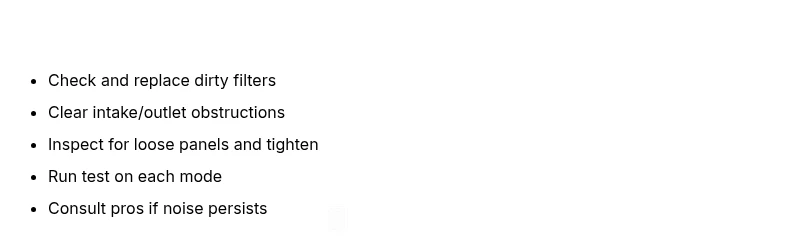
- Start with clean or new filters to restore quiet operation
- Check for airflow blockages and tighten loose panels
- Use the diagnostic flow to identify if a professional service is needed
- Balance noise with filtration needs; adjust placement and settings