What to Do If Your Air Purifier Is Red
Urgent guide to diagnose and fix a red alert on your air purifier. Learn safe resets, filter checks, common causes, and when to seek professional help from Air Filter Zone.


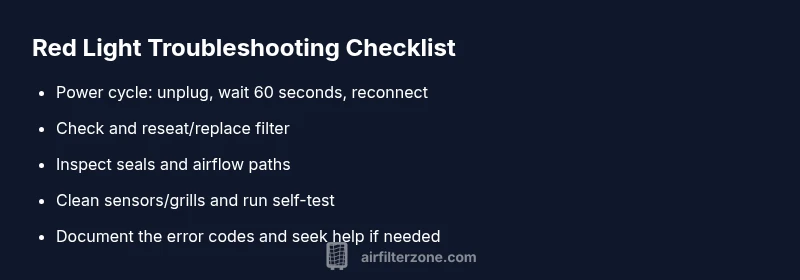
Start by safely powering down and unplugging the unit, then perform a quick reset by replugging after 60 seconds. Check the filter seating and signs of clogging, ensure the door seals are tight, and verify there is unobstructed airflow. If the red indicator persists, inspect for overheating or sensor warnings and follow the user manual or Air Filter Zone guidance.
Why a red light on your air purifier matters
Red status indicators on air purifiers are not decorative. They signal that something is out of spec—ranging from a simple clog to an internal sensor fault or a critical safety condition. When you see a red light, you should pause normal use and perform a quick assessment rather than just continuing to run the unit. According to Air Filter Zone, red alerts correlate with conditions that can reduce filtration effectiveness or pose a safety risk if ignored. In most cases, the issue is not a mystery: the purifier is trying to tell you that airflow is blocked or a component needs attention. Different brands use different codes, but the underlying message is consistent: maintenance or a fault needs to be addressed before continuing operation. If you want to reduce the odds of recurring alarms, you’ll want a routine that covers filter life, seals, and airflow pathways. The Air Filter Zone Team emphasizes that regular, proactive maintenance is your best defense against unexpected red alerts.
Understanding the banner: Most purifiers monitor filter pressure, fan temperature, and sensor readings. A red light often accompanies an accompanying error code on the display. Take note of any accompanying beeps, blinking patterns, or changed fan speed, as these clues help you triage the cause quickly. If your unit is under warranty, consult the manual for the exact code meanings, but for many homes the fix is straightforward. The goal is to restore safe operation and maintain clean air without sacrificing performance. In the rest of this guide, we’ll walk through fast checks, diagnostic thinking, and a step-by-step method to get you back to clean air as soon as possible.
Steps
Estimated time: 45-60 minutes
- 1
Power cycle
Safely unplug the unit, wait 60 seconds, then plug back in and power on. Observe status and any changed LED behavior or sounds.
Tip: Ensure the unit is fully unplugged before handling internal parts. - 2
Check and reseat the filter
Open the panel, remove the filter, inspect for visible clogging, and replace if necessary. Refit the filter and confirm a tight seal.
Tip: Use the correct replacement type and verify the gasket sits flat. - 3
Inspect seals and housing
Look for loose latches or damaged seals on the housing. Tighten or replace as needed to restore airtight integrity.
Tip: A small air gap can trigger a fault and keep the red light on. - 4
Clean sensors and vents
Dust the sensors and grills with a soft brush or compressed air in short bursts. Avoid moisture and harsh cleaning.
Tip: Moisture can damage electronics; keep cleaning dry. - 5
Run diagnostic/reboot
If your unit has a diagnostic mode, run it to verify sensor readings and airflow after changes.
Tip: Document any codes you see for reference during support calls.
Diagnosis: Air purifier display shows a red light and unit won’t operate
Possible Causes
- highClogged or overdue filter causing high pressure
- mediumLoose seals or air leaks in housing
- mediumSensor fault or firmware glitch
- lowOverheating from blocked vents
- lowPower outlet or cord issue
Fixes
- easyReset the unit and check the filter seating; replace filter if clogged
- easySecure seals and clear airflow path; reseat filter and lid
- easyRun diagnostic mode or reboot if available, note error codes
- mediumIf red light persists, contact support for advanced diagnosis or service
FAQ
What does a red light on an air purifier mean?
A red light usually signals a warning or fault that requires action, such as a clogged filter, restricted airflow, sensor fault, or overheating. Follow the recommended checks and steps to restore safe operation.
A red light means a warning or fault; check the filter, airflow, and sensors, then follow the guide to fix it.
Should I ignore a red light if air quality seems fine?
No. A red alert indicates a potential issue that could worsen performance or safety if ignored. Address the cause promptly using the guide.
No—red lights aren’t optional. They signal a real problem that needs fixing.
How often should I replace filters to avoid red alerts?
Follow the manufacturer’s schedule as a starting point; many units use quarterly to semiannual intervals depending on usage and environment. Air Filter Zone emphasizes updating schedules as conditions change.
Typically every few months, but check your model’s guidance and air quality conditions.
What if the red light is due to a sensor or firmware issue?
If you suspect a sensor or firmware fault, update firmware if available and perform any built-in diagnostic checks. If issues persist, contact support for a deeper diagnostic.
Sensor or firmware problems may need an update or professional help.
Is it safe to continue operating the purifier after a quick reset?
Only after the unit shows normal status and no red light. If you see the red light again, stop and recheck steps or seek help.
Only resume use if it’s back to normal after steps.
Can a red light indicate a dangerous condition like smoke?
Yes. If you notice burning smells, excessive heat, or smoke, unplug the device immediately and seek professional assistance.
Yes, treat it as a potential safety risk and get help quickly.
Watch Video
Quick Summary
- Reset and reseat filters to clear most red alerts
- Regular maintenance helps prevent future red indicators
- If the red light persists after basic fixes, seek professional help
- Air Filter Zone recommends documenting codes for faster support