Air Purifier Dust Removal: A Practical Guide to Cleaner Air
Discover practical steps to remove dust with air purifiers. Learn sizing, placement, maintenance, and optimization for homes, cars, and small spaces—enhancing indoor air quality.


Learn how to remove indoor dust using an air purifier. This guide covers selecting the right size, proper placement, filter maintenance, and practical tips for homes, cars, and small rooms. Follow these steps to improve air quality efficiently. It also highlights common mistakes and how to measure improvement. Air Filter Zone guidance.
What dust is and why air purifiers help
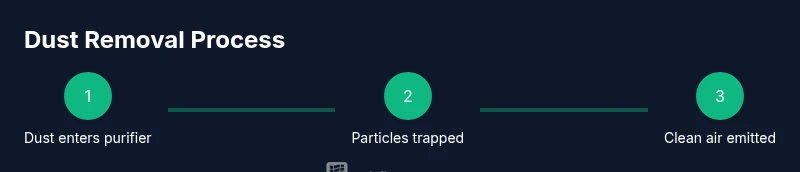
Dust in indoor environments is a mixture of tiny particles such as skin cells, textile fibers, pollen, and mineral debris that becomes suspended in air or settles on surfaces. Over time, these particles accumulate on furniture, HVAC ducts, and electronics, and can trigger allergies, asthma symptoms, or irritate eyes and lungs. An effective air purifier helps by pulling air through filters that trap many of these particles and then releasing cleaner air back into the room. The Air Filter Zone team emphasizes that the most impactful approach starts with choosing a purifier that matches the room size and runs continuously during active hours to maintain a lower steady-state dust level. In practice, this means focusing on devices that use a true HEPA filter and a well-sealed housing, plus a washable pre-filter to capture larger dust before it reaches the main filter. Regular cleaning of surrounding surfaces complements the purifier’s work and reduces dust reservoirs that can re-enter the air.
How to size and compare purifiers for dust removal
Selecting a purifier for dust removal begins with room size. Measure the length, width, and height to calculate the room's volume, then reference the purifier's recommended coverage range. Look for a true HEPA filter along with a sealed housing to prevent leakage around the edges where fine dust can bypass filtration. If your space has multiple rooms or open layouts, consider a purifier with variable fan speeds and clean air delivery rate indicators that help you adjust performance in real time. Additionally, confirm that the unit uses a washable pre-filter to extend the life of the main filter by catching larger dust particles. While evaluating models, compare ongoing costs such as filter replacement and energy use to pick a device that fits your routine and budget.
Filtration types: HEPA, prefilters, activated carbon, and more
Dust removal relies primarily on a true HEPA filter, which captures a broad range of particles including fine dust. A good purifier will include a washable pre-filter that catches larger particles before they reach the HEPA stage, prolonging filter life. Some units also include an activated carbon layer to help with odors and volatile organic compounds, though carbon is not a substitute for HEPA in dust capture. When shopping, verify that each filter stage is sealed and replaceable, and confirm whether the device has an indicator to signal when a filter needs replacement. This combination maximizes dust capture while maintaining energy efficiency and acceptable noise levels.
Placement and airflow for maximum dust capture
Position the purifier in a location where air can circulate freely, away from walls and large furniture that can block intake or outlet. Elevate units on a stable surface if possible, especially in rooms with low shelving. For open floor plans, consider distributing purifiers to maintain consistent air turnover across spaces. The goal is to create a clean-air corridor so that dust does not stagnate in corners. If you notice dust on nearby surfaces after running a purifier, adjust position or run at a higher speed for the first few hours to accelerate dust removal.
Maintenance: filter life, cleaning, and indicators
Regular maintenance is essential for dust removal effectiveness. Check the filter life indicator if your unit has one, and replace filters according to the manufacturer’s guidance. Clean the exterior of the purifier with a damp microfiber cloth to prevent dust from re-entering the room. If you notice a reduction in airflow or louder operation, it may indicate a clogged filter or a need for replacement. Keep spare filters on hand to minimize downtime and ensure the purifier continues to perform at peak efficiency.
Cars and small spaces: purifiers beyond the living room
Small air purifiers or car-specific purifiers can significantly reduce dust in vehicles and tight spaces. When choosing a car purifier, look for models that fit comfortably on the dashboard or behind seats and draw minimal power. For desk or closet spaces, compact purifiers with USB or outlet power can help maintain clean air where dust tends to accumulate. Always follow the manufacturer’s directions for installation and safe operation in confined areas to avoid obstruction of air intake or exhaust.
Dust reduction through cleaning routines and humidity control
Air purification works best when combined with cleaning and humidity management. Regularly dust and vacuum floors, surfaces, and textiles using a vacuum equipped with a HEPA filter. Wash fabrics and curtains to reduce particle shedding. Maintain indoor humidity around 40-50% to minimize dust from dry air and reduce mold risk; excessive humidity can increase dust mite activity and dust accumulation on damp surfaces. These complementary practices help purifiers perform more efficiently and reduce overall particle load.
Myths and misconceptions about purifiers and dust
A common myth is that purifiers instantly purify a whole house. In reality, effectiveness depends on room size, placement, and consistent operation. Another misconception is that all purifiers remove odors and chemicals equally; some models excel at particles but offer limited gas-phase filtration. Always read product specifications carefully and prioritize devices with true HEPA filtration for dust removal. Finally, beware of ozone-generating ionizers or devices marketed as “ozone-free” without verification—choose models that are clearly labeled as ozone-safe.
Costs, energy usage, and long-term value
Initial prices for purifiers vary by features, filtration stages, and capacity. Ongoing costs include filter replacements and electricity usage, which tend to be modest for typical room-sized units. Over time, a purifier with durable filters and a favorable energy profile can provide good value by maintaining lower dust levels and reducing cleaning time. When evaluating cost, factor in the frequency of filter changes and the price of replacements to estimate long-term expenses.
Tools & Materials
- Air purifier unit(Choose for room size; ensure true HEPA filter and pre-filter are accessible)
- Replacement filters (HEPA + pre-filter)(Check compatibility with your purifier model; have on hand ready for replacement)
- Measuring tape or room size calculator(Accurately estimate the purifier's required coverage)
- Soft microfiber cloth(For cleaning the exterior and dust around the unit)
- Vacuum cleaner with HEPA attachment(Helpful for pre-cleaning dust from floors and upholstery)
- Gloves(Optional, keeps hands clean while handling dusty filters)
Steps
Estimated time: 60-90 minutes
- 1
Assess room size and purifier coverage
Measure the room dimensions (length x width x height) to estimate volume, then compare with the purifier’s recommended coverage. A device that’s underpowered will struggle to reduce dust effectively, while an appropriately sized unit provides better air turnover.
Tip: For larger spaces, consider a purifier with adjustable fan speeds and a larger clean air delivery rate. - 2
Review filter types and CADR guidance
Check that the purifier uses a true HEPA filter and has a sealed housing to prevent bypass around edges. Avoid models with vague claims like 'HEPA-like' which may not meet filtration expectations for dust.
Tip: True HEPA plus sealed housing is essential for consistent dust capture. - 3
Unbox and inspect the purifier
Remove packaging, inspect for damage, and confirm that the HEPA and pre-filter are included and undamaged. Note any warranty or maintenance indicators.
Tip: If filters appear damaged, replace before first use to ensure initial dust capture performance. - 4
Install fresh filters
Insert the HEPA filter and pre-filter, ensuring seals are tight and components engage properly according to the manual.
Tip: Listen for a confirming click when filters seat correctly; avoid forcing parts. - 5
Position the purifier for airflow
Place the purifier in a central location with unobstructed intake and outlet paths. Avoid corners or areas behind furniture that can trap dust around the unit.
Tip: Elevating on a stable stand can improve airflow in rooms with low furniture. - 6
Run and monitor performance
Power the purifier to a suitable speed; run it for several hours to observe dust reduction. Adjust speed as needed based on room activity and noise tolerance.
Tip: Start at a higher speed for the first 4-6 hours, then scale to a sustainable level. - 7
Schedule maintenance and filter changes
Create reminders to clean the exterior weekly and replace filters per the manufacturer’s guidance. Heavily used devices may require more frequent changes.
Tip: Keep spare filters handy to minimize downtime. - 8
Evaluate dust reduction and plan next steps
Assess improvements through visual dust reduction and surface cleanliness. Consider adding another purifier or adjusting layout if dust persists in high-traffic areas.
Tip: Document changes so you can track what delivers the best results.
FAQ
How do I know if an air purifier is right for dust removal in my home?
Choose a purifier based on room size and ensure it uses a true HEPA filter. Look for a model with sealed housing and clear CADR guidance.
Choose a purifier that fits your room and uses a true HEPA filter. Check for sealed housing and clear guidance.
How often should I replace the filters?
Follow the manufacturer’s schedule and any indicator lights. In dusty environments, replacements may be more frequent.
Follow the maker's schedule and any indicator lights; dusty spaces may require more frequent changes.
Can purifiers remove dust completely?
Purifiers reduce dust levels significantly but cannot eliminate all dust. Regular cleaning helps maintain lower levels.
They reduce dust but won't remove every particle.
Are purifiers safe for homes with pets?
Yes, most purifiers are safe for homes with pets; choose models that capture pet dander and are easy to clean.
Most purifiers are safe for homes with pets and help reduce dander.
Is it worth buying a purifier for a car?
Portable car purifiers can help reduce dust on the go; choose a compact model with low power draw.
A small car purifier can help reduce dust in a vehicle.
Do purifiers produce ozone?
Most modern purifiers are ozone-free; avoid models with ionizers or ozone-emitting features.
Most purifiers are ozone-free; avoid ionizers that emit ozone.
Watch Video
Quick Summary
- Size the purifier to your room and maintain clean filters.
- Place purifier for unobstructed airflow and regular operation.
- Follow a maintenance schedule to maximize dust removal.
- Complement purification with cleaning and humidity control.